Mario Pixel - Free Adventure Game
Mario Pixel is a free adventure game you can play right now in your web browser on desktop, tablet, or mobile phone. Jump, dodge, and navigate through classic platforming action as the iconic pixel hero in this hypercasual take on a legendary franchise.
The Game Idea
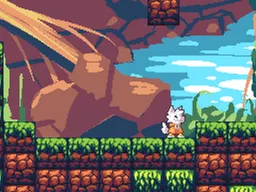
Mario Pixel strips away the complexity and brings you straight to the core of what made platformers fun: timing your jumps and avoiding obstacles. This isn't a massive adventure with multiple worlds or power-ups—it's a focused, pick-up-and-play experience where you control a pixelated character through simple but demanding levels. The pixel art aesthetic isn't just nostalgia; it keeps the action clear and readable, so you always know exactly where your character is and where danger lies. The game respects your time: sessions are short, the concept is instant to grasp, and the challenge ramps up smoothly. Whether you're playing during a work break or killing time on your phone, Mario Pixel delivers the satisfaction of nailing a perfect run without demanding hours of commitment.
How to Play
You guide a pixel character across the screen, jumping between platforms and avoiding enemies or hazards in your path. The goal is straightforward—reach the end of each level alive. You start each attempt knowing exactly what you need to do: get from point A to point B without falling or hitting an obstacle. The levels are compact enough that you can memorize them after a few tries, which shifts the challenge from 'understanding the level' to 'executing the perfect run.' Early attempts teach you the jump distance and timing. By your third or fourth try, you're optimizing your approach. There's no complex story wrapping or progression system clouding the experience—just you, the level, and your reflexes. The pixel art makes it easy to spot safe zones and danger zones at a glance, so your failures are never because you couldn't see what happened.
Controls
Desktop: Use the arrow keys or A and D to move left and right. Press the spacebar or W key to jump. Timing your jump is critical—hold the key slightly longer for higher jumps, tap it for shorter hops. Mobile and tablet: Tap the left side of the screen to move left, tap the right side to move right. Tap the center or top area to jump. The touch controls respond immediately, so practice a few runs to get a feel for the tap-and-hold rhythm that works best for you. Some players prefer quick taps for precision; others do better with a held press that lets them adjust mid-jump.
Strategies That Work
Learn the level layout before you worry about speed. Watch where enemies patrol or where gaps appear, then plan your route. Most players rush on their first attempt and fall into the same trap twice. Slow down, complete the level cleanly, then optimize for speed on your second or third run. Jump slightly earlier than feels necessary—pixel-based collision can be forgiving if you time it right, but it punishes hesitation. Don't hold jump longer than needed; short, controlled hops give you more mid-air adjustments than committing to a full jump. If a section feels impossible, walk through it step by step instead of sprinting. The pixel character responds immediately to your input, so any mistake is yours to correct—there's no lag or floatiness to blame.
What Separates Good Players
New players treat each level as a puzzle to solve. Experienced players treat it as a rhythm to master. The difference is knowing the exact jump window for each obstacle and hitting it every time. A good run looks effortless because every action is deliberate. You'll spot experts by how few corrections they make mid-jump—their timing is so dialed in that they arrive exactly where they need to be. They also know when to walk and when to sprint, adapting their pace to each section. Another skill that separates players is familiarity with pixel-based jumping physics; understanding whether your character rises on frame 1 or frame 2 changes everything. Finally, good players never blame the game—they assume they mistimed the jump and try again immediately. That mental approach turns frustration into feedback.
Variations and Modes
Mario Pixel keeps its focus narrow. The core experience is consistent across plays—same levels, same mechanics, same goal. Some versions of the game may include speed-run modes where you race against a timer or compete for a high score, turning a single-player experience into a score-chasing loop. Others might cycle through different level sequences, so replaying doesn't feel like you're doing exactly the same thing twice. The true variation comes from how differently each player approaches the same level—some memorize every frame, others rely on quick reflexes and improvisation. The hypercasual design means the game doesn't need multiple modes to stay engaging; nailing a tough section once is often enough satisfaction to keep you coming back.
Similar Games
If you enjoy Mario Pixel, you'll recognize the DNA in games like Flappy Bird—simple controls, one core mechanic, punishing but fair difficulty. You might also enjoy retro platformers or modern pixel art adventure games that respect the classic formula without overcomplicating it. Games built around jumping, timing, and obstacle avoidance in a 2D space share that same addictive quality where you feel like one more run will be the perfect one. The best comparison is probably classic side-scrolling platformers from the 8-bit era, stripped of everything except the core challenge. If you grew up with those, Mario Pixel will feel like coming home to a familiar reward loop.
Controls
Keyboard and mouse
- Arrow keys or A/D to move left and right
- Spacebar or W to jump
- Hold jump button longer for higher jumps, tap for shorter hops
Touch
- Tap left side of screen to move left
- Tap right side of screen to move right
- Tap center or top area to jump
- Adjust tap duration to control jump height
FAQ
- Do I need to download or install anything to play?
- No. Mario Pixel runs directly in your web browser. Open the page, and you're playing immediately. Works on Windows, Mac, Linux, or any device with a modern browser.
- Can I play this on my phone or tablet?
- Yes. The game is designed to work on screens as small as a smartphone and as large as a desktop monitor. Touch controls adapt automatically when you're on mobile.
- What's the actual objective in each level?
- Reach the end of the level without hitting enemies or falling off platforms. It's a straightforward point-A-to-point-B platformer where your only job is to navigate safely across the screen.
- How many levels does the game have?
- The game is designed as a continuous challenge where difficulty escalates. Each level builds on the last, so you're always facing something slightly harder than before.
- Why do I keep failing at the same spot?
- Platformers like this are about timing and pixel-perfect positioning. If you're failing at the same obstacle, you're likely jumping too early, too late, or not far enough. Watch your character's position relative to the gap or enemy, adjust by one frame, and try again.
- Is there a way to save my progress?
- Most browser games save your high score or level progress automatically. Check the menu if you want to see your best run or resume from where you stopped.
- What makes this different from the original Mario games?
- Mario Pixel is a hypercasual, streamlined experience focused on one core mechanic: jumping and timing. It captures the essence of classic platforming without the elaborate level design, power-ups, or story elements of full Mario games.
Similar games
More Adventure Games games →