Mad Driver
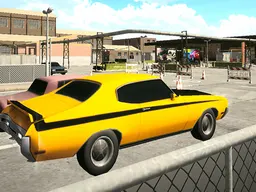
Mad Driver is a free browser-based racing game you can play instantly on desktop or mobile where you drive a car through obstacle-filled tracks, fighting to keep your vehicle balanced and upright while reaching the finish line without flipping over.
The Game Idea
Mad Driver puts you behind the wheel of a car with a simple but demanding goal: get from start to finish without crashing. The catch is that your vehicle has weight and physics that work against you. Going too fast on uneven terrain will flip your car. Staying too slow will bore you to death and waste time. The tracks are full of creative stunts and obstacles designed to trip you up, forcing you to make constant micro-adjustments to your speed and angle. It's the kind of game where you learn that flooring the accelerator is often the worst move. The first few attempts feel chaotic as you figure out that Mad Driver isn't about reflexes alone—it's about reading the terrain ahead and knowing when to ease off the gas. Once that clicks, you start threading between obstacles at speed, and the game stops feeling impossible.
How to Play
You drive a car down a track from beginning to end. Your job is to pilot that car across whatever the level throws at you without tipping over. The track itself is the main obstacle—uneven surfaces, ramps, gaps, and other hazards are designed to destabilize your vehicle. The physics engine is the real opponent here. Lean too hard on acceleration and your car will nose-dive or roll. Take a ramp at the wrong angle and you'll flip. The longer you stay upright and in control, the better your chances of crossing that finish line. Levels get progressively harder, introducing more creative stunts and trickier terrain. You'll face situations where patience pays off more than speed, and others where burst acceleration is the only way through. The game rewards players who understand their car's center of gravity and plan their line a few seconds ahead rather than reacting moment to moment.
Controls
Mad Driver uses straightforward steering controls that work the same way across keyboard and mobile. On desktop, use W, D, X, the Up arrow, or Right arrow to steer forward and accelerate. Press S, A, Z, the Down arrow, or Left arrow to steer backward or brake. You can also use mouse clicks to control direction. On mobile and touchscreen devices, tap and drag to steer your car left or right across the screen. The touch controls adjust automatically depending on which side of the screen you're tapping. Since the game runs in your browser at 800x600, it adapts smoothly to phone and tablet screens without clunky scaling issues.
Strategies That Work
The most effective approach in Mad Driver is momentum awareness. Learn which sections of track require slow, deliberate driving and which ones reward speed. Jumping obstacles usually works better than going around them, but only if you hit the jump at the right speed. Too slow and you stall; too fast and you flip. Scout each level mentally on your first or second attempt. Watch for the terrain's natural flow—places where gravity wants to help you and places where it wants to kill you. When you see a downhill section followed by a ramp, gentle acceleration into the ramp often beats wide-open throttle. Use the brakes preemptively on sections where balance matters more than speed. On flat terrain with obstacles, threading between them at moderate speed is safer than trying to jump everything. The players who beat harder levels aren't necessarily faster drivers—they're the ones who treated each obstacle as a puzzle with a specific solution rather than a challenge to power through.
What Separates Good Players
Beginners in Mad Driver tend to see the car as a missile that needs to be pointed at the goal. Better players understand that the car is a physical object obeying gravity and momentum. They brake before obstacles instead of during them. They line up turns earlier. They recognize that a cliff you can barely see coming requires completely different speed management than a wide ramp. The gap between struggling and succeeding often comes down to one key moment per level—that one jump or tight passage where you finally nail the speed. Once you hit it once, you know it's possible, and muscle memory builds from there. Veterans of games like Trials or even minimal-physics racers will pick up Mad Driver faster because they already think in terms of weight transfer and throttle timing. But the game itself teaches this through failure. Each flip teaches you something about what the car can't handle. The most improved players are the ones who treat flips as data, not frustration.
Variations and Modes
Mad Driver works as a level-based progression game where each stage introduces new terrain, obstacles, and challenges. The core gameplay stays consistent—drive forward, don't flip, reach the finish—but the implementation changes. Some levels emphasize balance and careful speed control. Others test your ability to chain jumps or navigate narrow paths. The variety in obstacles and track design keeps progression fresh. Earlier levels ease you into the physics system, while later levels assume you've internalized how the car behaves. The game's hypercasual nature means there's no lives system or permanent failure—you restart from the beginning of a level as many times as needed. This removes punishment and lets you focus on mastering each obstacle through repetition.
Similar Games
If you like Mad Driver, try other physics-based driving games that emphasize balance and precision over speed. Trials-style games share that obsessive focus on nailing specific terrain sections. Simple car racing games with obstacle courses will feel familiar. Browser games in the hypercasual space—quick-play, addictive, no download required—follow the same format. Games that use gravity and momentum as the main challenge rather than enemy AI or complex rules appeal to the same audience. The 3D racing perspective and the need to manage car weight put Mad Driver closer to arcade racers than simulation racers, so anything in that arcade-driving space will resonate if you're enjoying this one.
Controls
Keyboard and mouse
- Steer forward / Accelerate: W, D, X, Up Arrow, Right Arrow, or Mouse Click
- Steer backward / Brake: S, A, Z, Down Arrow, or Left Arrow
Touch
- Tap and drag left or right on screen to steer your car
- Hold and drag to maintain steering direction
FAQ
- Do I need to download Mad Driver to play it?
- No. Mad Driver runs directly in your web browser. Just load the page and start playing. Works on desktop, tablet, and mobile without any installation.
- Is Mad Driver free?
- Yes, Mad Driver is completely free to play in your browser.
- Why does my car keep flipping over?
- Your car flips because you're going too fast into obstacles or hitting uneven terrain at the wrong angle. The physics system in Mad Driver is unforgiving by design. Try slowing down before big jumps or ramps, and approach obstacles more carefully. You'll feel the right speed once you've crashed a few times and learned the terrain.
- What's the difference between steering forward and backward?
- Steering forward accelerates and drives your car up the track. Steering backward brakes or reverses. You'll mostly use forward controls, but backward is useful for repositioning if you get stuck or need to slow down quickly before a difficult obstacle.
- How many levels does Mad Driver have?
- The exact number of levels isn't specified, but the game includes multiple stages that get progressively harder, each introducing new obstacles and stunts to master.
- Can I play Mad Driver on my phone?
- Yes. Mad Driver adapts to mobile screens and uses touch controls. Tap and drag on your screen to steer. It works smoothly on phones and tablets.
- Is there a time limit in Mad Driver?
- The game focuses on reaching the finish line without flipping, not on speed times. You can take as long as you need per level, though some obstacles or track design might naturally push you toward certain speeds to progress.
- What happens if I crash or flip over?
- You restart from the beginning of that level with no penalty. There are no lives or game-overs. You can try as many times as you need to beat each stage.
Similar games
More Adventure Games games →