Cairn Game: Climb an Endless Tower with Shifting Ground
Cairn game is a free adventure arcade experience you play in your web browser on desktop or mobile, where you guide Daisy up an infinite tower by manipulating the terrain itself. As you climb, you'll interact with mysterious creatures that let you reshape the ground beneath your feet, deciding whether to build advantages for yourself and future climbers or add to the chaos of the spiraling structu
What Is This Game
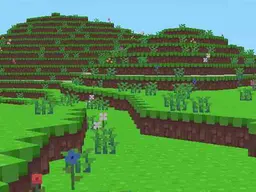
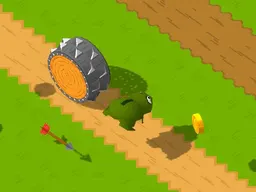
Cairn is an arcade-style climbing adventure where your primary goal is ascending a tower that never seems to end. You play as Daisy, an explorer who doesn't just jump and dodge obstacles like in traditional platformers. Instead, the game's central mechanic revolves around your ability to interact with the environment and alter it. Creatures you meet along the way grant you the power to shift portions of the ground, effectively letting you write your own path upward. This creates a puzzle-like layer to what might otherwise be a straightforward vertical climb. The decisions you make about how you reshape the terrain affect not only your own progress but potentially influence how the tower behaves for anyone else who might follow. It's a climbing game that forces you to think about architecture as much as navigation.
Is It Worth Playing
Cairn stands out because it merges physical challenge with environmental puzzle-solving. Most arcade climbing games lock you into predetermined paths and force you to memorize jump timings. Here, the ground itself becomes a tool. Your first few attempts will likely feel clumsy because you're learning to balance between climbing speed and careful terrain manipulation. Around the fifth attempt, something clicks: you realize that taking a second to shift a platform can create a much easier path than frantically jumping. The satisfaction comes from that moment when you see the connection between what the creatures let you do and how you can use it strategically. If you enjoy games where your choices shape the challenge itself rather than just responding to it, this delivers that feeling without requiring you to restart from the beginning every time you fail. The tower's design encourages experimentation, which keeps the repetition from feeling stale.
How to Get Started
Load Cairn directly in your browser without downloading anything. You'll start at the base of the tower as Daisy with basic movement controls. Your first interaction will likely be with one of the creatures that grants you terrain-shifting abilities. The game doesn't dump all mechanics on you at once. Instead, you're introduced to movement first, then to interaction, then to the consequences of reshaping the ground. The early sections of the tower are designed to teach you these systems gradually. Take your time in the first few minutes to understand how the controls respond to your input. If you're on desktop, you'll be using keyboard and mouse for full control precision. On mobile, touch controls are adapted for the smaller screen. Don't rush past the introductory areas, as they establish the rhythm you'll need for later stages where the terrain becomes more complex and the timing more demanding.
Controls
On desktop, you move left and right using WASD or arrow keys. Jumping is handled with the spacebar: hold it down to charge a high jump, or tap it twice for a double jump mid-air. To interact with creatures and terrain-shifting mechanisms, press E. You can pause the game by pressing Escape. On mobile, the same movement functions are mapped to touch controls with directional buttons on the left side of the screen. Jump is a hold-to-charge or double-tap action depending on the interface layout. Interaction points are highlighted and become touchable when you're in range. The mobile version is designed to work at 800x600 resolution, so it adapts well to most phone and tablet screens without requiring much pinching or zooming.
What Changes Over Time
The tower escalates in complexity as you climb higher. Early sections introduce individual mechanics in isolation: learn movement, master jumping, understand how to shift ground. Halfway up, the tower starts combining these elements. You'll face sections where you need to shift terrain while timing a jump, or where multiple creatures offer conflicting ways to reshape the path and you must choose wisely. The pacing accelerates too. Ground collapses faster. Creatures appear less frequently, meaning you must plan your terrain manipulation several moves in advance rather than reacting moment to moment. By the time you're deep into the tower, you're managing multiple shifted platforms simultaneously and dealing with environmental hazards that respond to your ground manipulation. The game also changes how forgiving it is. Early mistakes are recoverable. Later mistakes often mean a significant fall and restarting that section. This natural difficulty curve means new players aren't overwhelmed, but experienced climbers find genuine challenge in the higher reaches.
Mistakes That Cost You
Your biggest early mistake is ignoring the creatures entirely and trying to climb the tower using only basic platforming. This works for maybe the first few sections, then the tower demands interaction with the creatures and their terrain-shifting abilities. Many players waste time climbing paths that require perfect timing when a shifted platform would make it trivial. Another costly error is overcomplicating your terrain manipulation. You don't need to reshape the entire surrounding area, just the critical sections. Spending precious time and creature interactions reshaping areas you don't need to traverse wastes your resources. Platforming-wise, double jumping too early in your ascent is common. Players panic and use both jumps close together, then reach a gap with no jump left. Learning to space your double jump for when you truly need it separates consistent progress from repeated falls. On mobile specifically, the most frequent mistake is tapping jump too rapidly, which can trigger unintended double jumps when you only wanted one. Pay attention to your pace rather than panicking when obstacles approach.
Where and What Device to Play
Cairn is available through your web browser on Atomo Play. No download, no installation, no client software required. Simply visit the site and launch the game. It runs on Windows, Mac, and Linux through any modern browser. Mobile support is built in, so you can play the same game on your phone or tablet using the touch-adapted controls. The game was designed to run smoothly at 800x600 resolution, which means even older devices and lower-end smartphones handle it without lag. There's no need for a powerful graphics card or processor. Connection-wise, Cairn doesn't require constant internet after it loads initially, so occasional connectivity drops won't interrupt your climbing session. Whether you're playing during a break at work on your laptop or climbing the tower during your commute on your phone, the experience adjusts to your device without forcing you into a compromised version of the game.
Controls
Keyboard and mouse
- Move left and right: WASD or arrow keys
- Jump: Hold spacebar to charge a high jump, or tap twice for double jump
- Interact with creatures and terrain: Press E
- Pause: Press Escape
Touch
- Move left and right: Touch directional buttons on left side of screen
- Jump: Hold or double-tap jump button (charges high jump or double jump depending on input)
- Interact: Tap highlighted interaction points when in range
- Pause: Pause button visible on screen
FAQ
- Is Cairn free to play
- Yes, completely free. Play directly in your browser on Atomo Play with no payment required and no premium currency pushing you toward spending money.
- Do I need to download anything to play
- How does the terrain-shifting mechanic actually work
- Is this like other climbing games I've played
- Can I play Cairn on my phone
- What happens if I fall
- Is there a specific ending or does the tower go on forever
- What does my choice about helping or hindering other climbers actually do
Similar games
More Adventure Games games →