Plane Paper Plane - Free Online Arcade Game
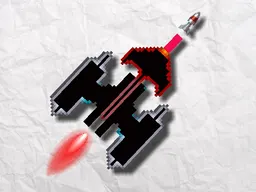
Plane Paper Plane is a free arcade game you play instantly in your web browser on desktop and mobile. Throw a paper airplane and see how far it flies, then upgrade your abilities to beat your high score and unlock rewards in this endless flying challenge.
What Is This Game
Plane Paper Plane puts you in control of a simple but deceptive mechanic: you launch a paper airplane and watch it soar across the screen. The core loop is throw, watch, upgrade, repeat. Your job is to figure out the right angle and power to send it farther than before. The game tracks your distance and compares it to your personal best, pushing you to improve with each attempt. As you accumulate distance and complete flights, you unlock upgrades that actually change how your plane behaves in the air. These aren't cosmetic changes either. A better wing design makes your plane glide longer. A heavier weight gives it different physics. Each upgrade shifts your strategy slightly, so a distance you thought was your ceiling suddenly becomes your baseline. The presentation is clean and minimal. You see your paper airplane against a sky backdrop, and that's about all you need. No distractions, no timers running down, no stamina meter. Just you, the plane, and the distance ahead.
Is It Worth Playing
If you like quick, repeatable challenges that reward learning over reflexes, yes. Plane Paper Plane doesn't demand perfect timing like Flappy Bird does. Instead, it's about understanding physics and optimization. You'll fail your first ten throws because you're still learning what each angle does. By throw twenty, you'll recognize patterns. By throw fifty, you'll be chasing fractions of improvement. That progression keeps it interesting. The unlock system gives you concrete goals beyond just beating a number. You want that next upgrade because you know exactly what it changes. And because it's free and runs in any modern browser, the barrier to starting is zero. You lose nothing by trying a few flights. You might find yourself coming back to shave a few more meters off your record, the way people do with single-level puzzle games.
How to Get Started
Load the game in your browser. You'll see your paper airplane positioned on the screen, ready for launch. There's no tutorial, but that's deliberate. Your first throw teaches you everything you need to know. The game responds immediately to your input and shows your distance before offering a retry button. On your second attempt, you'll already have a reference point and can adjust your approach. The first few minutes establish the rhythm: launch, watch the flight, see the distance, read what changed from your last attempt, try again. Upgrades appear as you accumulate distance. When you unlock a new ability or plane improvement, the game shows you what it does in plain language. You apply the upgrade or pass on it, then line up your next flight. The progression is straightforward enough that you never feel lost, but there's always something new to chase.
Controls
Desktop: Click and drag to adjust your launch angle, then release to throw. The longer you hold before releasing, the more power you apply. Some versions allow you to use arrow keys or spacebar as alternative inputs for angle and power. Mobile: Tap and drag across the screen to set your angle, then release your finger to launch. The same drag-and-release principle applies. The controls are responsive and forgiving during the learning phase. You'll know immediately if your throw went too shallow or too steep, so correcting your aim on the next attempt feels natural.
What Changes Over Time
Early flights teach you the baseline. You're just trying to understand how the plane responds to different angles. Once you've thrown ten or twenty times, you'll stop failing by accident and start failing by small margins. That's when upgrades matter. Your first upgrade might increase wing span, giving you longer hang time. Your second might make the plane slightly heavier for more stable flight. A third could change the weight distribution. Each one rewrites your optimal strategy slightly. You'll discover that your old personal best is now easy to beat because the plane itself flies differently. This creates a natural difficulty curve that doesn't feel artificial. The game doesn't make you play harder levels. Your own improved plane makes previous distances feel like stepping stones. The unlock system also feeds the psychological reward loop. You know you're grinding toward the next upgrade, and when it arrives, it instantly proves your progress was real.
Mistakes That Cost You
Throwing too steeply too early will make your plane climb and stall. Throwing too flat will burn through distance before your plane catches any lift. Finding the balance is the entire game. Early on, you'll waste flights learning these lessons. Overcorrecting is another trap. You throw at forty-five degrees and get a decent distance, so you think seventy degrees will be better. It won't. The physics don't reward extremes. Small adjustments teach you more than big swings. Many players also misjudge when to upgrade. You might assume a new ability is always better, but sometimes an upgrade you already have matters more for your current playstyle. The game lets you choose, so thinking strategically about which upgrades to prioritize can push your distance higher than just taking everything that unlocks.
Where and What Device to Play On
Plane Paper Plane runs entirely in your web browser, no download required. Visit Atomo Play, find the game, and start playing instantly. It works on desktop computers with any modern browser like Chrome, Firefox, Safari, or Edge. It also runs on mobile phones and tablets in portrait or landscape orientation. The screen adapts to whatever device you're using, so you get the same game on a phone as you do on a desktop. There's no login, no account creation, and no app installation. If you want to play on the go, open it on your phone. If you want to sink into it on your computer, it's waiting there too. You can play one quick flight during a break or run a session of dozens of attempts in an afternoon.
Controls
Keyboard and mouse
- Click and drag to set launch angle
- Release to throw the plane
- Angle and power adjust based on drag distance
Touch
- Tap and drag across screen to set angle
- Release finger to launch
- Drag distance controls power application
FAQ
- How do I throw the paper plane farther?
- Throw farther by finding the right launch angle and power. Start with a shallow angle around thirty to forty-five degrees. Apply steady power without overdoing it. Each throw teaches you something about how your current plane flies. Once you unlock upgrades, they directly improve distance by changing how the plane handles in the air.
- What do the upgrades actually do?
- Upgrades modify your plane's flight characteristics. Some increase wing surface area for longer glide time. Others adjust weight or aerodynamics. The game tells you exactly what each upgrade changes, so you know whether it helps your throwing style. You choose which upgrades to apply and can experiment with different combinations.
- Do I need to download anything to play?
- No. Plane Paper Plane runs directly in your web browser on Atomo Play. Open the game page, and you're playing within seconds. Works on desktop and mobile with no app needed.
- Can I play on my phone?
- Yes. The game works on any mobile device with a web browser. Tap and drag to set your launch angle, then release to throw. The controls adapt to touchscreen input automatically.
- Is there a time limit or energy system?
- No. You can throw your plane as many times as you want without waiting or spending anything. Each flight is instant, so you can run endless sessions chasing your high score.
- What happens when I unlock gifts?
- Gifts are rewards you earn by reaching distance milestones or completing in-game challenges. They unlock new upgrades or plane variations that change how your airplane flies. Each gift gives you another option to experiment with.
- How is the physics different from real paper airplanes?
- The game simplifies real physics into an arcade formula. You're not calculating wind resistance or paper folding. You're aiming at an angle and power level, then watching how the plane's weight and wing design interact with the environment. It's more puzzle than simulator.
Similar games
More Arcade Games games →