Mob Control
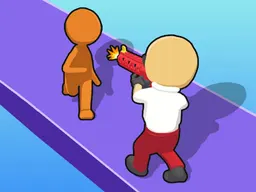
Mob Control is a free 3D arcade puzzle game that runs in your web browser on desktop and mobile devices, where you launch armies of blue stickmen at castle fortifications by swiping and sliding to overcome level challenges through timing and crowd management.
What Is This Game
Mob Control strips down castle defense to its core mechanic: you command waves of blue stickmen soldiers and release them toward fortified structures. The game presents itself as a 3D arcade experience built around a deceptively simple rule - gather enough troops, aim them correctly, and launch your mob to overcome each level's obstacles. You don't control individual stickmen once they're deployed; instead, your job is sizing up how many soldiers you need to send and when to send them. The castle or barrier blocking your path becomes the target, and the stickmen swarm toward it as a collective force. Success means having enough numbers to break through, fail means regrouping and trying again with a better strategy. The game runs on WebGL, delivering smooth 3D visuals in your browser without requiring any downloads or installation. It's designed to work equally well on phones and tablets through touch controls, making it the kind of game you can pick up and play in short bursts during a commute or longer sessions at home.
Is It Worth Playing
Mob Control belongs to the category of puzzle-arcade hybrids that rely on problem-solving under pressure rather than reflexes alone. If you enjoy games where the answer isn't always obvious - where you need to figure out whether to send thirty stickmen or fifty, whether to time your launch for a specific moment, or whether to split your troops - this one delivers that satisfaction. The 3D stickman aesthetic keeps things visually clean and readable, avoiding the visual chaos that sinks similar games. Each level acts as a small puzzle that rewards observation: you study the castle layout, count your available troops, and calculate your approach. The progression ramps up gradually, introducing new obstacles and patterns that prevent the game from feeling repetitive beyond the fourth or fifth level. It's not a game for players seeking narrative depth or complex character development. It's for people who want a tactical bite-sized challenge with immediate feedback. The browser-based delivery means you're never more than one click away from playing; no launcher, no update screens, just a page load and you're in. For players already comfortable with mobile arcade games and puzzle mechanics, Mob Control offers enough mechanical variety to justify at least a full session of play.
How to Get Started
Load the game in your browser and you'll see your first castle and a count of available stickmen ready to deploy. The game doesn't burden you with tutorials or lengthy explanations; the first level is straightforward enough that watching what happens teaches you the basics immediately. You'll see the blue stickmen gathered on one side and the castle or barrier on the other. Your task is to send them forward. Once you grasp that launching your mob is how you progress, the second level introduces a twist - maybe a gap between you and the target, or obstacles that thin your ranks. By the third or fourth level, you'll encounter scenarios where sending all your troops at once fails, and you realize you need to be selective about deployment. This is where the puzzle layer clicks into place. The game encourages experimentation: try one approach, watch what happens, adjust based on the result, and try again. The early levels are forgiving, giving you plenty of stickmen to spare, so failure doesn't feel punishing. This pacing lets new players build confidence before the game actually makes you sweat.
Controls
The control scheme is built for simplicity on both device types. On desktop using a mouse, you typically point at the stickmen mob and use a click-and-drag motion, or click to launch them toward your target. The game registers the direction and magnitude of your input to determine how your army moves. On mobile and tablets, the core interaction is even more direct: you swipe or slide your finger across the screen in the direction you want to send your stickmen. The swipe direction determines where the mob heads, and the gesture is responsive enough that you can make quick adjustments between attempts. There's no complex button combinations or menu navigation during active gameplay. The interface keeps everything on one screen: your troop count, the environment, and the obvious forward direction. Between levels you might tap to continue or navigate to the next challenge, but once you're in a level, your focus stays entirely on the launching mechanic itself. This straightforward control approach is why the game works so well on both large desktop monitors and small phone screens - the input method translates seamlessly across devices.
What Changes Over Time
The first few levels let you succeed by simply sending your available stickmen straight ahead, establishing the baseline mechanic. As you progress, the game introduces environmental complications that force you to think harder. You'll encounter castles with different barrier configurations, gaps your mob needs to navigate, and layouts where poor timing means your troops scatter ineffectively. Later levels layer on these obstacles, sometimes combining multiple challenges in a single stage. The number of stickmen available to you fluctuates, sometimes forcing you to win with fewer troops than earlier levels offered, which sharpens the puzzle element. Obstacles become more complex not just in arrangement but in how they interact with mob physics - a crowded passage might slow your stickmen, or a narrow opening might require precision that a wide-open field didn't demand. The game scales the difficulty steadily enough that you rarely feel completely stuck, but you also stop winning on your first or second attempt. By the mid-game point, each new level presents a distinct tactical challenge, and your understanding of how stickmen move in groups becomes crucial to progression. The 3D perspective, while initially just cosmetic, reveals its purpose as complexity increases - angles and depth make certain solutions visible that a 2D view might hide.
Mistakes That Cost You
The most expensive error in Mob Control is misjudging how many stickmen you actually have versus how many you need. Sending thirty troops at a barrier that requires fifty means failure, and you've wasted half your army with no way to recoup them in that attempt. This teaches you to observe before acting. A second critical mistake is poor timing. Some castle layouts require you to hit a moving target, use momentum at a specific moment, or avoid sending troops into a chokepoint where they'll pile up uselessly. Launching too early or too late means your stickmen never reach full effect. A third pitfall is misunderstanding the environment. What looks like a clear path might funnel your troops into a dead end, or what appears to be a wall might be passable from a different angle. New players often charge straight forward when the solution requires sending troops around an obstacle. The game doesn't punish these mistakes with permanent consequences - you simply retry the level - but it does teach you that careless play wastes attempts. You learn to watch where stickmen naturally flow, to count your available forces before committing them, and to recognize patterns in castle layouts that signal which approach will work. Players who understand these lessons progress smoothly; those who spam launches until something works get frustrated much faster.
Where and What Device to Play On
Mob Control runs directly in any modern web browser without requiring downloads, installation, or accounts. Open Atomo Play in Chrome, Firefox, Safari, or Edge on Windows, Mac, or Linux and you're ready to play immediately. The game is optimized for the 750x1334 resolution standard on mobile devices, meaning it works beautifully on phones and tablets. The responsive design scales between desktop monitors and small phone screens while maintaining playability. On a phone, the touch controls feel natural and responsive, making the swiping mechanic feel intuitive during short play sessions. On a desktop with a mouse, the click-and-drag approach works equally well, though the game was clearly designed with mobile as the primary platform. There's no performance barrier; even older devices with modest processors and integrated graphics handle the WebGL rendering without stuttering. The game doesn't demand a constant internet connection once it loads - though your browser must initially connect to fetch the game files. If you prefer playing on a larger screen, a tablet delivers the best experience, providing enough real estate for precise swipes while maintaining portability. The browser-based approach means you can switch between devices mid-session; pause on your phone, continue on your desktop, no sync required. This accessibility and instant playability make Mob Control ideal for casual gaming without the friction of installation or account management.
Controls
Keyboard and mouse
- Click and drag with mouse to select stickmen direction
- Release to launch mob toward target
- Click to navigate menus between levels
Touch
- Swipe or slide finger in the direction to send stickmen
- Adjust the force and angle of your swipe to control mob movement
- Tap to proceed to next level after completing current challenge
FAQ
- Do I need to download anything to play Mob Control?
- No. Mob Control runs entirely in your web browser through Atomo Play. Just visit the site and click to start playing - no downloads, no installation, no launcher required.
- How does launching the stickmen mob actually work?
- On mobile, you swipe or slide your finger in the direction you want to send your stickmen. On desktop, you click and drag with your mouse. The direction and strength of your swipe or drag determines how the mob moves toward your target. You're aiming to gather enough troops and time your launch so they overcome the castle or obstacle blocking each level.
- What happens if I don't have enough stickmen to break through?
- You fail that attempt and restart the level with your stickmen count reset. You can try again immediately with a different strategy. The game doesn't punish failures with cooldowns or penalties - it's designed for experimentation and retries until you find the right approach.
- Does the game get harder as I progress?
- Yes. Early levels are straightforward to establish the basic mechanic, but once you understand launching, the game introduces obstacles with more complex layouts, narrower passages, and situations where you need fewer troops than before. By mid-game, each level presents a distinct puzzle that requires observation and tactical thinking rather than just sending all your stickmen forward.
- Can I play on my phone?
- Absolutely. Mob Control is optimized for mobile devices and runs perfectly on phones and tablets through your browser. The touch-swipe controls feel natural on smaller screens, making it ideal for short play sessions on the go.
- Is there a timer or time limit for each level?
- The game focuses on puzzle-solving rather than frantic speed-based challenges. You can take your time to observe the layout, count your troops, and plan your approach before launching. There's no pressure from a countdown timer pushing you into hasty decisions.
- What makes this different from other mobile tower defense or puzzle games?
- Mob Control strips away complexity to focus on crowd management and tactical launches. You're not building towers or managing resources across a map - you're solving individual level puzzles by figuring out how to use your available stickmen most effectively against each unique obstacle. The 3D perspective adds visual clarity to how your mob moves and interacts with the environment.
Similar games
More Arcade Games games →