Air Simulator - Free Flight Game Online
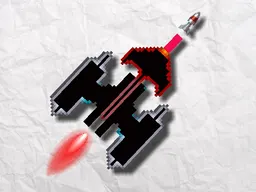
Air Simulator is a free arcade flight game you can play instantly in your web browser on desktop and mobile devices. Take control of an aircraft and navigate through dynamic environments, dodging obstacles and mastering smooth, responsive controls. With vibrant graphics and straightforward arcade mechanics, this game challenges your reflexes and precision as you fly through varied landscapes.
About the Game
Air Simulator puts you in the cockpit of an aircraft with one straightforward objective: fly as far as you can without crashing. The game combines arcade action with simulation-style flight mechanics, creating an experience that feels responsive and immediate. You'll navigate your plane through environments filled with obstacles and narrow passages, requiring quick decisions and steady hands. The visual design keeps things clean and readable, so you can focus entirely on your flight path. Each run is a fresh attempt, and the learning curve is gentle enough that new players can grasp the basics in seconds, yet challenging enough to keep you coming back. The game runs smoothly in any modern browser and adapts perfectly to mobile screens, making it ideal for quick sessions on the go or extended play sessions at your desktop. Air Simulator is built on HTML5 technology, meaning no installation or plugins required—just load it and fly.
How to Play
Air Simulator starts immediately when you load the game. Your aircraft appears on screen, and the environment begins to scroll, presenting you with a path to follow. Your goal is to keep your plane airborne and avoid collisions with the terrain, walls, and obstacles that appear ahead. The game rewards precision and timing: you need to navigate through gaps, weave between hazards, and maintain your altitude as the landscape unfolds. Early on, you'll notice the game accelerates your instincts—within your first thirty seconds, you'll understand the basic flow. Around your fifth attempt, you'll likely hit a wall: the obstacles start feeling random or the timing seems punishing. That's when you learn the rhythm. The game isn't random; it follows patterns. Once you see those patterns and anticipate them instead of reacting, your score climbs significantly. Every crash resets your run, but the leaderboard keeps track of your best flight, pushing you to beat your previous record.
Controls
Air Simulator uses simple, intuitive controls designed for both keyboard and touch input. On desktop, use the joystick control or arrow keys to steer your aircraft left and right, adjusting your altitude and position to avoid obstacles. On mobile devices, tilt your device or tap the left and right sides of the screen to move your plane. The controls are highly responsive, giving you immediate feedback when you adjust your course. There's no acceleration or deceleration button—your plane maintains constant forward momentum, so your focus stays entirely on navigating the horizontal and vertical space ahead. This simplicity is the game's strength: you're never fighting the controls, only the obstacles.
Tips for Higher Scores
Start by flying down the center of gaps rather than hugging the edges. Center positioning gives you more reaction time when unexpected obstacles appear. Early runs teach you the speed at which obstacles approach, and this knowledge becomes your advantage. Second, develop a rhythm in your movements. Instead of making large, dramatic course corrections, use small adjustments. Smooth flying beats erratic flying every time. Third, anticipate rather than react. As you replay the same sections, you'll see they follow a pattern. Start positioning yourself for the next obstacle before it's visible on screen. This forward-thinking approach separates high scorers from new players. Finally, don't memorize—adapt. Game difficulty often increases or the environment changes, so stay flexible. Accept crashes as data points, not failures. Each run teaches you something about timing or spacing that pushes you closer to your personal best.
Advanced Movements
Once you've played several sessions, you'll discover techniques that experienced players use consistently. The most important is the anticipatory position: moving your aircraft to where it needs to be two obstacles ahead, not one. This creates a buffer between you and sudden changes in the environment. Another technique is throttle management through positioning. While your plane maintains constant speed, changing your vertical position early and gradually beats changing it late and sharply. Experienced players also learn to identify which obstacles are mandatory turns versus optional challenges. Some hazards can be avoided by staying high; others require staying low. Knowing the difference means conserving energy for the truly tight spots. Finally, rhythm flying—maintaining a consistent, almost musical pattern of movement—reduces mental fatigue during long runs and keeps your hands from overreacting to false threats.
Modes and Phases
Air Simulator presents a continuous flight experience rather than discrete levels. As you progress in a single run, the environment evolves. Early segments feature wide gaps and forgiving obstacle placement, allowing you to acclimate to the controls. As your distance increases, gaps narrow, obstacles cluster more densely, and the overall pace accelerates. This graduated difficulty means the game always feels challenging but never unfair—it's testing whether you've adapted, not whether you memorized a specific sequence. Your score is measured by distance, making every meter count. The game tracks your all-time high score and displays it prominently, giving you a clear target to chase. Some sessions will end quickly as you misjudge a familiar section; others will set new personal records. The variable nature of each run keeps the gameplay fresh, even as you become more skilled.
Who This Game Is For
Air Simulator appeals to anyone who enjoys quick, skill-based arcade action. If you like games that teach simple mechanics but require practice to master—think Flappy Bird or similar endless fliers—this will hook you immediately. It's perfect for mobile players who want something engaging during a commute or lunch break, since matches are short and you can stop anytime. Desktop players appreciate it as a distraction-free way to spend fifteen minutes or chase a personal record. The game works equally well for casual players just looking to unwind and competitive players obsessed with leaderboard positions. Because there's no story, no complex narrative, and no time pressure beyond the game's internal timer, it appeals to players of all ages. The straightforward controls and accessible difficulty curve mean even players new to gaming can enjoy it, while the high skill ceiling keeps experienced arcade enthusiasts coming back for more.
Controls
Keyboard and mouse
- Joystick or arrow keys to move left and right
- Steer continuously to navigate through gaps and avoid obstacles
- No jump, attack, or pause button—focus only on directional control
Touch
- Tap or tilt left side of screen to move aircraft left
- Tap or tilt right side of screen to move aircraft right
- Hold left or right to maintain steady course
- Release to return to neutral position
FAQ
- Is Air Simulator free to play?
- Yes, Air Simulator is completely free. You can play it instantly in your web browser without paying anything or downloading software.
- Do I need to download Air Simulator to play?
- No. Air Simulator runs directly in your web browser using HTML5 technology. Just open the link and start flying immediately.
- Can I play Air Simulator on my phone?
- Yes. The game is fully optimized for mobile devices. It works on any smartphone or tablet with a web browser and adapts to portrait or landscape orientation.
- What happens when I crash?
- When your aircraft hits an obstacle or terrain, your run ends immediately. Your score—based on how far you flew—is recorded. You can instantly start a new run and try to beat your previous distance.
- Is there a way to pause the game?
- Air Simulator is designed as a continuous arcade experience, so pausing isn't typically part of the gameplay. Crashes reset your run, so there's no need to pause between attempts.
- Why does the game feel harder after a few runs?
- The environment becomes more challenging as your distance increases within a single run. Gaps narrow, obstacles pack closer together, and overall speed increases. This graduated difficulty keeps the game engaging as you improve.
- Does my score save between sessions?
- Your best score is tracked and displayed, so you'll always know your personal record. The game remembers your highest distance, giving you a target to beat each time you play.
- What's the best strategy for improving my score?
- Focus on smooth, small adjustments rather than big movements. Anticipate obstacles ahead of time by positioning yourself early. Study the patterns in each section and adapt your flying rhythm to match them. Small improvements in positioning add up to significantly higher scores.
Similar games
More Arcade Games games →