Shoe Designer Warehouse
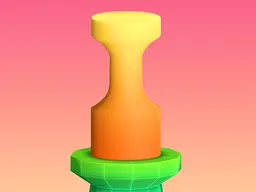
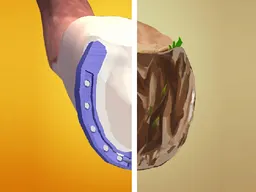
Shoe Designer Warehouse is a free browser-based design game where you create custom footwear from scratch, available instantly on desktop and mobile devices. Pick your shoe silhouette, choose colors and materials, and watch your design come to life on the canvas as you experiment with endless combinations to build the perfect pair.
The Idea
Shoe Designer Warehouse puts you in control of a virtual workshop where your only job is to design shoes exactly how you imagine them. You're not racing against time, solving puzzles, or beating opponents. Instead, you work at your own pace, selecting from a palette of colors, patterns, and materials to customize a shoe model until it matches your vision. The game appeals to anyone who's ever looked at a pair of shoes in a store window and thought they'd do it differently. It's the creative freedom of fashion design without the technical training or real-world constraints. Whether you want to make high heels that turn heads, experimental designs that push boundaries, or simple classics, the game gives you the tools and gets out of your way. There's no failing, no scoring system demanding perfection, just the satisfaction of watching an idea become a wearable object on screen.
How to Play
The game starts by showing you a shoe model on screen, ready for customization. You access different design options through an interface, typically arranged around the shoe or in a menu. Your first decision is often the base color of the shoe itself. Once you've chosen that, you move through other customization layers: accent colors for straps, soles, or panels; patterns or textures if the game offers them; and any additional elements specific to the shoe style you've selected. Each choice updates the shoe in real time, so you see the result of every decision immediately. This instant feedback loop is what keeps the game engaging, because you're not waiting to see if a color combination works. You pick it, you see it, and if it doesn't look right, you change it. Most players spend time experimenting with contrasts: dark shoes with bright accents, metallic details on soft base colors, or matching the entire shoe to a specific palette they have in mind. The game ends when you're satisfied with your creation. Some versions let you save or export your design, turning the activity into a shareable accomplishment.
Controls
Desktop: Use your mouse to click on color swatches, pattern options, and design elements displayed on screen. Hover over options to preview changes before committing to them. Most interfaces use a point-and-click approach, where you select a tool or color and then apply it to the shoe. Mobile: Tap on the same options with your finger. The interface scales to touch input, making buttons larger and ensuring that selections register reliably even on smaller screens. Swiping may be used to navigate between different design categories if the menu is structured horizontally. The controls are intentionally simple because the game prioritizes design creativity over mechanical skill.
Strategies That Work
Think about contrast before you start. A single-color shoe can look flat, but adding a contrasting sole or stripe gives it visual interest immediately. Start with the main color first, then layer complementary or contrasting accents around it. Consider real shoe design conventions: soles are often darker or metallic, heels frequently match the upper, and accent colors usually appear in small doses. If you're uncertain about a color choice, preview it before finalizing. Most games let you see changes in real time, so use that to your advantage. Look at actual shoes for inspiration if you're stuck. Fashion magazines, streetwear, or even photos of designer shoes can spark ideas about color combinations, material mixing, and proportions that translate into your digital design. Don't overthink it. The best designs often come from following an instinct rather than trying to predict what will look good. Make the shoe you'd actually want to wear, not the one you think you're supposed to make.
What Separates Strong Players
Players who create polished designs understand the power of restraint. Instead of using every available color, they pick two or three and let them work together. They recognize that negative space and simplicity often read as more sophisticated than maximum decoration. Strong players also think about the intended use of the shoe. A heeled design calls for different color logic than a sneaker. They notice that metallic or shimmer effects, when available, can elevate a simple color scheme instantly. They preview multiple times before locking in choices, catching clashing combinations early. And crucially, they iterate. They'll design one shoe, step back, mentally critique it, and then start a second version incorporating what they learned. Weak players often land on their first instinct and stop, missing the refinement that comes from repetition. The difference shows immediately when designs are displayed side by side: one reads as intentional, the other as random.
Variations and Modes
Most versions of this game stay faithful to the core design mechanic but may vary the shoe types available. Some focus exclusively on high heels, offering multiple heel heights and strap configurations. Others provide a mix: heels, flats, sneakers, and boots, letting you switch between fundamentally different silhouettes. A few versions include gender-specific options, offering designer shoe choices for men, women, or both audiences. The color palettes can vary too. Basic versions offer standard colors; more elaborate ones include gradients, patterns, or special effects like glitter or holographic finishes. Some games include a gallery or save feature, letting you store your best designs or compare them. Multiplayer or social features are rare in the hypercasual space, but some versions may allow you to share screenshots or see other players' creations. The core loop remains constant: select, customize, admire, repeat.
Similar Games
If you enjoy the creative freedom of Shoe Designer, other design-focused games offer similar appeal. Makeup or character customization games work on identical logic: layers of choices, instant visual feedback, no fail state. Games like dress-up or fashion design titles on web platforms follow the same structure. Drawing or coloring games provide a different creative outlet but share the relaxing, pressure-free design philosophy. Games centered on interior decoration or home customization also tap into the satisfaction of arranging colors and elements until a space feels right. The common thread is that none of these games punish you for experimenting. They're inherently safe spaces to make choices, see results immediately, and revise until you're happy.
Controls
Keyboard and mouse
- Mouse to click on color options and design elements
- Hover to preview changes before selecting
- Click on different shoe parts or the menu to access customization layers
Touch
- Tap on color swatches and design options
- Tap to preview or apply changes to the shoe
- Swipe to navigate between design categories if available
FAQ
- Do I need to download anything to play Shoe Designer Warehouse?
- No. The game runs directly in your web browser, whether you're on a computer or smartphone. Just open the page and start designing immediately. No installation, no waiting for downloads.
- Can I play this on my phone?
- Yes. The game is optimized for mobile screens and works on any smartphone or tablet with a modern browser. The interface adapts to touch controls, so tapping is all you need.
- Is there a time limit or scoring system?
- No. There's no timer or score. You design at your own pace, and there's no way to lose or fail. The only goal is to create a shoe you like.
- Can I save the shoes I design?
- Many versions allow you to save or screenshot your finished designs. Check the game interface for a save, export, or share button after you complete a shoe. Functionality varies depending on which version you're playing.
- What shoe types can I design?
- It depends on the version. Most games include high heels and at least one or two other styles like flats, sneakers, or boots. The options are shown at the start of the game, and many let you design multiple styles in a single session.
- Are there limits to the colors I can use?
- The game provides a set palette of colors and materials to choose from. You can't create a completely custom color from scratch, but the available options are extensive enough to build thousands of unique combinations.
- Is this game free?
- Yes, completely free. It's supported by ads shown during play, but there's no cost to play or any pay-to-win mechanics. Everyone has access to all design options without paying.
Similar games
More Hypercasual Games games →