Run Fast Run
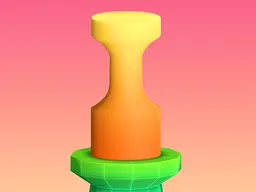
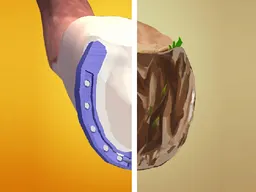
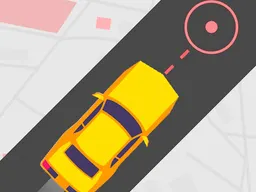
Run Fast Run is a free arcade runner game you play directly in your web browser on desktop and mobile, where you guide a character through an endless gauntlet of obstacles and traps, tapping or clicking to dodge hazards and survive as long as possible.
The First Minutes
When you start Run Fast Run, you're dropped into a straightforward premise: your character is moving forward automatically, and the screen is filling up with obstacles headed straight at you. The game gives you one job and makes it clear immediately. In the first thirty seconds, you'll tap or click once to dodge your first obstacle, feel the timing snap into place, and already sense that split-second decision-making is everything here. There's no tutorial, no slow ramp. A few obstacles pass, and then they start coming faster. By the time you've been playing for a minute, you understand the entire game: react faster, last longer, beat your previous score. The pacing does the teaching for you. Most first runs end somewhere between ten and forty seconds, which sounds short until you realize how many near-misses happened in that window and how badly you want one more attempt immediately.
Main Mechanic
Run Fast Run operates on a single-action loop: obstacles appear on a fixed path, and you have one dodge move to get out of their way. Your character is always in motion, so you're not controlling direction or speed—you're controlling evasion timing. Each tap or click triggers a dodge maneuver that shifts your character out of the incoming object's path. The challenge isn't complexity; it's rhythm and reflexes. Obstacles arrive in patterns that gradually accelerate, meaning the gaps between hazards shrink and your reaction window narrows. This is the core of hypercasual design: easy to understand, hard to master. The game rewards players who develop muscle memory and can predict the rhythm of incoming threats. There's no special power-ups mentioned, no branching paths, no complex scoring tiers—just pure survival time. The longer you last, the higher your score climbs. That's the entire economy of the game.
Controls
The control scheme is deliberately minimal. On desktop, a single click registers your dodge command. On mobile, one tap does the same thing. That's it. The game runs in a portrait orientation optimized for phones, so on mobile the interaction is natural—tap the screen, your character moves. On desktop, you'll be clicking somewhere on the game window, likely in the center or toward your character's position, though the exact click location probably doesn't matter since you only have one action available. Responsiveness is critical in a game like this, so the tap or click needs to register instantly. Any lag between your input and your character's reaction will feel broken, and in a reflex-based game, that's the difference between a satisfying close call and a frustrating death.
Mistakes Everyone Makes
The biggest trap in Run Fast Run is reacting too early. New players see an obstacle approaching and dodge before it's actually necessary, which either wastes their dodge or leaves them in a worse position for the next hazard. The screen is small and claustrophobic by design, so your instinct is to panic and move. Fighting that instinct—waiting until the last moment—is what separates good runs from bad ones. Another common mistake is assuming there's a pattern you can memorize. Obstacles come at you fast, and your brain wants to find rhythm, but if you're focused on predicting the next move instead of reacting to what's actually on screen, you'll crash. The game demands presence, not anticipation. A third trap is tilting after a close call. You'll get incredibly close to an obstacle, think you've won, and then the next one comes while you're still celebrating mentally. Staying focused through the entire run, no matter how safe it feels, is essential.
When It Gets Hard
The difficulty spike arrives once obstacles start appearing back-to-back with almost no breathing room. In your first few attempts, there are clear gaps between hazards where you can collect yourself. Around your fifth or sixth run, if you're doing well, those gaps disappear. Obstacles overlap, creating situations where dodging one puts you dangerously close to another. At this point, the game stops being about reaction time alone and becomes about predicting which dodge puts you in the safest position for the next threat. Your character's movement also feels faster, or at least the obstacles do, which is the game's way of raising the skill ceiling. This is when players who've been mashing the button realize they need to be precise instead. The difficulty doesn't announce itself with a level transition or a difficulty menu—it just happens, and you either adapt or you're done.
How to Actually Improve
The fastest way to get better is to stop thinking and start feeling. Play enough runs that your hands know when to tap without your brain processing it. This takes maybe twenty to thirty attempts, not hundreds. Focus on consistency over high scores in your first session; nail ten dodges in a row before chasing a personal best. Watch where obstacles appear on the screen—they probably follow a lane or two, not random positions. Once you understand the path they use, you're no longer reacting; you're anticipating. Keep your finger or cursor in the neutral position between dodges instead of moving it all over the screen; this cuts your reaction time. Don't chase a high score after you've already died multiple times in one session. Fatigue kills performance in reflex games. Take a break, come back later, and you'll often jump ten to fifteen seconds higher. The players with the highest scores aren't the fastest—they're the calmest.
What to Expect After an Hour
After an hour of Run Fast Run, you'll have hit a personal best that feels like a real achievement, even though the game is built for short bursts. You'll know exactly how the difficulty curve works and can feel yourself improving run to run. Your personal record might be anywhere from thirty seconds to two minutes, depending on your reflexes and focus, but you'll definitely know your skill level. At this point, the game either clicks for you or it doesn't. If it does, you'll keep chasing that next milestone, which is exactly what the hypercasual format is designed for: quick sessions, clear progression, and the constant pull of just one more run. If it doesn't click, you've lost maybe twenty minutes and learned that pure reflex games aren't your thing—also useful information. The game doesn't have narrative progression or unlockables that make you feel like you're advancing through content, so your only motivation is the score and your own skill development. That's either compelling or hollow depending on what you're looking for.
Controls
Keyboard and mouse
- Click to dodge an incoming obstacle
Touch
- Tap the screen to dodge an incoming obstacle
FAQ
- Is Run Fast Run really free to play?
- Yes, it's completely free and plays directly in your web browser with no download required.
- How does the difficulty actually increase during a run?
- Obstacles appear faster and with shorter gaps between them as your run progresses. The pace ramps up steadily, so early attempts feel manageable but later sections demand split-second timing.
- Can I play this on my phone?
- Yes, the game is designed for mobile with a portrait screen layout. It works on any phone's web browser with a tap to dodge.
- What happens when I die or miss an obstacle?
- Your run ends immediately and your score is recorded. You go back to the start screen and can begin another attempt right away.
- Is there any way to pause the game or practice the obstacles?
- Based on the game design, there's no pause feature or practice mode. Each run is a continuous attempt from start to finish.
- Do I need to be good at other games to play this?
- No, but a background with reflex-based games like Flappy Bird or Geometry Dash helps you understand the style. If you've never played those, Run Fast Run teaches you what you need through its first few attempts.
Similar games
More Hypercasual Games games →