Police and Cars - Free Racing Game
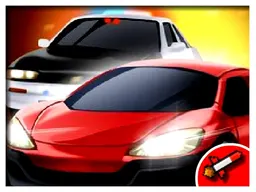
Police and Cars is a free racing game that runs in your web browser on desktop, tablet, and mobile. You drive high-speed police vehicles through multiple environments, testing your reflexes and control in arcade-style racing action.
What Is This Game
Police and Cars puts you behind the wheel of police vehicles in a straightforward racing experience. This is arcade racing stripped to its core: you pick a car, hit the road, and see how far you can push it. The game offers multiple police cars to choose from, each handling differently as you navigate through varied environments. The environments change the challenge—different layouts, different pacing, different ways to lose control. It's the kind of game where the first ten seconds teach you the basics, but mastering the driving takes longer. You're not chasing suspects or following a story. You're racing, period. The focus stays on the driving mechanics themselves: throttle control, steering precision, and understanding how your chosen vehicle responds to input. Some racing games overlay complications on top of the core loop. This one doesn't. You accelerate, you steer, you try to stay on track.
Is It Worth Playing
Police and Cars works if you want quick racing without menus, progression systems, or unlocks to grind through. Load it, pick a car, and you're driving in seconds. There's no tutorial or explanation—the controls are simple enough that you figure them out immediately, and then the challenge is pure execution. The multiple vehicle options mean you can experiment: find the car that clicks with your driving style, or rotate through them to keep the feel fresh. The changing environments prevent the experience from feeling repetitive over multiple sessions. If you're drawn to racing games that value feel over flashiness, or if you're between longer gaming sessions and want something you can play for five minutes without commitment, this delivers. The browser-based format means zero download time, zero installation friction. It's there when you want it.
How to Get Started
Open the game in your browser. The main screen presents your options: select from the available police cars. Each one displays before you choose, so you can see what you're getting into. Once you pick your vehicle, you're on the track. The game starts moving immediately. Your first runs will teach you how responsive the steering is, how much throttle you need, and how tight the corners are in the environment you're racing through. Most players crash or spin out on their first few attempts—that's expected. The learning curve is gentle but real. After a handful of runs, your instincts catch up. You start hitting smoother lines, braking earlier into turns, and understanding which parts of the track punish mistakes hardest. Then you try the other police cars and realize they handle completely differently, which resets the learning but in an interesting way. If you want to return to the menu at any point, the Escape key takes you there instantly.
Controls
On desktop with a keyboard: WASD handles your movement and steering. W accelerates, S brakes or reverses, A steers left, D steers right. It's the standard racing game layout. On mobile or tablet, you use touch controls to steer—tilt or drag your finger to point the police car where you want it to go. Acceleration is automatic or mapped to a touch zone, depending on the implementation. The controls are responsive enough that you can feel the difference between gentle steering adjustments and hard corrections. Oversteering is possible and punished quickly—a common mistake early on is turning the wheel too hard and spinning out. Once you account for that, the inputs feel predictable.
What Changes Over Time
The core racing loop doesn't shift dramatically, but the environments do. Different tracks present different challenges. Tight corners demand precision; open straights reward speed and smooth acceleration. Some environments might introduce visual elements that affect how you perceive speed or track boundaries. Switching between the multiple police cars in the game also shifts the feel significantly. A heavier vehicle handles differently than a lighter one. One car might grip well but accelerate slowly; another might be twitchy but responsive. Bouncing between them keeps sessions from feeling stale. There's no unlocking system or progression that gates content—all cars are available from the start, so if one stops clicking, you try another immediately.
Mistakes That Cost You
The most common costly error is oversteering into corners. Players new to racing games often turn the wheel too hard, expecting instant response, and the car spins out or leaves the track. Learning to modulate steering input—smaller movements, more subtle—saves runs. Braking too late for tight turns is the second major mistake. Racing games reward planning: seeing a corner coming and easing off throttle early, rather than braking hard at the last moment. On some cars, hard braking kills your momentum so badly that you lose more time than if you'd coasted in. Speed bias is the third trap. The temptation to hold full throttle everywhere is strong, but this game punishes it. Sections where you need to slow down demand it; ignoring that penalty costs you dearly. The environments are unforgiving once you slip up. There's no rubber-banding, no catch-up mechanics. If you crash, you're off track, and that's the run over. The game respects your focus and punishes distraction equally.
Where and On What Device to Play
Police and Cars runs in any modern web browser—Chrome, Firefox, Safari, Edge, whatever you use. No download, no installation, no launcher required. Click the link and you're in the game within seconds. The 960x600 screen size scales well across devices. On desktop, you get the full experience with WASD controls. On mobile or tablet, the touch controls adapt the game to your screen size. Phones work perfectly fine; the controls respond to touch input, and the smaller screen doesn't compromise the racing mechanics. Tablets give you more screen real estate, which some players prefer. Since it's browser-based, you can play on Chromebooks, older laptops, or any computer with a browser—no graphics card or gaming hardware needed. If your internet connection is stable, you're good to play. The game runs efficiently enough that older computers handle it without lag. It's the kind of racing game that works in a browser window while you've got email or a document open in another tab.
Controls
Keyboard and mouse
- W - Accelerate
- S - Brake / Reverse
- A - Steer Left
- D - Steer Right
- Escape - Return to Main Menu
Touch
- Tap and drag to steer your police car left or right
- Touch controls automatically handle acceleration
- Use on-screen buttons or tilting to adjust direction
FAQ
- Is this game really free?
- Yes. Police and Cars is completely free to play in your browser. No payment required, no hidden fees, no premium currency needed to progress or play.
- Do I need to download anything?
- No. It runs entirely in your web browser. Just open the link and start playing immediately. Works on Windows, Mac, Linux, Chromebook, or any device with a browser.
- How many police cars can I drive?
- Multiple police cars are available to choose from at the start of the game. Each one handles differently, so you can experiment and find the one that feels best for your driving style.
- What's the goal—am I racing against other cars or the clock?
- The game is focused on arcade racing where you're testing your control and reflexes on the track. You're racing to see how far you can push your chosen vehicle without losing control or leaving the road.
- Does it work on my phone?
- Yes. The game is designed for mobile and tablet screens. It uses touch controls and scales to fit your device, whether you're on a smartphone, tablet, or desktop computer.
- Can I play offline?
- The game runs in your browser, so you need an internet connection to load it. Once loaded, it should run smoothly without requiring constant connection.
- What happens if I crash?
- If you leave the track or crash, your run ends. The game doesn't have catch-up mechanics or second chances—focus and clean driving are rewarded, and mistakes cost you immediately.
- Are there different tracks or environments?
- Yes. The game features multiple environments where you race. Each one presents different challenges and layouts, so switching between them keeps the experience fresh.
Similar games
More Racing Games games →