Papa's Burgeria
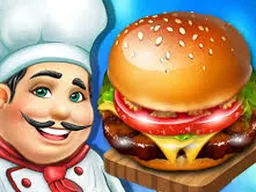
Papa's Burgeria is a free browser-based cooking management game where you run a burger restaurant, take customer orders, grill patties, stack toppings, and serve sandwiches to increasingly demanding clients—playable on desktop and mobile without downloading anything.
What Is This Game
Papa's Burgeria puts you behind the counter of a fast-food burger joint where you're responsible for every step of making a sandwich. You start by taking a customer's order from the lobby, then move to the grill station to cook the burger patty by dragging and flipping it until it reaches the right color. Once the meat is done, you drag toppings like tomatoes, onions, and sauces onto the bun, making sure each burger matches what the customer asked for. After plating, you serve it and collect tips. The game is divided into station areas—order counter, grill, assembly line, and serving window—and you bounce between them throughout each level. It's a real-time management game where you're juggling multiple customers at once, all with their own preferences and patience limits. Think of it like the cooking games where timing and memory matter more than reflexes, but with more ingredients to manage and a steady stream of people getting annoyed if they wait too long.
Is It Worth Playing
Papa's Burgeria works well if you enjoy games that require multitasking and quick decision-making without being stressful. The early levels ease you in with just one or two simple orders at a time, so you learn the rhythm before things get chaotic. What makes it worth your time is the progression system: as you complete levels, new customer types show up with complicated orders, the restaurant fills up faster, and you have real decisions to make about where to spend your tips. Do you buy the TV for the lobby to keep people calmer while waiting, or the heated lamp to keep finished burgers from getting cold? These upgrades actually change how you play, not just your score. The game doesn't require you to be lightning-fast—it's more about planning your movements and remembering which burger belongs to which person. If you like time-management games and don't mind repetition with slow-burn difficulty increases, there's enough here to keep you playing through multiple levels.
How to Get Started
When you first load Papa's Burgeria, you'll see your empty burger restaurant and a line of customers in the lobby. The game walks you through your first order with on-screen instructions: a customer orders a burger, their order card appears, and you grab a patty from the prep area and drag it to the grill. You'll see the patty sit there and gradually change color—that's your cue that it's cooking. The game tells you when to flip it and when it's done. Once it's cooked, you drag it to a bun and start adding toppings from the ingredient station. Each topping or sauce you add appears on the burger, and the game shows you which items that specific customer wanted. When the burger matches their order, you serve it to them, they pay, and you move on to the next customer waiting. The first few orders are slow enough that you can learn each station and what buttons do what. After you complete a level, the game offers you a shop where you can spend your tips on restaurant upgrades. Don't skip this—buying even one upgrade changes the difficulty of the next level, usually for the better.
Controls
Papa's Burgeria uses a simple drag-and-drop system for almost everything. On desktop with a mouse, you click and drag ingredients from their stations onto the burger, drag patties to and from the grill, and drag finished burgers to the serving window. The left mouse button handles all interactions—there's no right-click menu or keyboard shortcuts for cooking. On mobile or touchscreen, the controls work identically: you tap and drag ingredients with your finger instead of clicking. There are menu buttons at the top or sides of the screen to navigate between the station areas, switch to the shop, or check the customer book, and these you tap normally without dragging. The game doesn't use keyboard controls for cooking, so if you're playing on desktop, you're still using the mouse for everything important. This makes it very accessible—anyone who can drag their mouse or finger can play, and the controls never get complicated enough to trip you up.
What Changes Over Time
Early levels are almost relaxing: one customer orders a basic burger with two or three toppings, you cook it slowly, and you have plenty of time. But as you progress, the game introduces more customer types, and they show up in larger numbers. A level might jump from three simultaneous customers to eight or nine. Orders get more complex—customers want specific sauce combinations, they want their patty cooked to a particular shade, they want extra or no onions. The game starts introducing returning customers, and you can check a customer book to see their usual preferences and past complaints. You'll also unlock new ingredients and grill options that let you customize burgers more. The real difficulty curve isn't about speed—it's about memory and attention. On level five, you might have five burgers cooking at once, three customers waiting, and two more in the lobby, and you have to remember which burger is whose. This is where the shop upgrades from earlier levels start paying off: if you bought a TV, customers are less angry while waiting. If you didn't, you watch your tip percentage drop fast. The game expects you to plan your station visits and think two or three steps ahead instead of reacting to the loudest customer right now.
Mistakes That Cost You
The most obvious mistake is forgetting which burger belongs to which customer. You'll have five patties cooking on the grill, pull one off too early, and then serve the wrong burger to the wrong person—they get angry, your tip drops, and now you're behind on the next batch. This gets worse when customers order custom variations. Another expensive mistake is letting customers wait too long in the lobby without at least taking their order. If they leave, you lose that tip entirely and your score tanks. Many players waste tips early by buying cosmetic upgrades like hats or lobby furniture instead of functional upgrades like the TV or grill improvements that actually speed up cooking. You can buy hats later when you're rolling in cash; early on, spend tips on things that help you cook faster or keep customers happier. A sneakier mistake is not paying attention to the grill timings. Each burger needs to cook for a certain amount of time and be flipped at the right moment. If you flip too early, it stays raw. Too late, and it burns. Burned patties are worse than raw ones because some customers will reject them entirely. Finally, don't ignore the customer book. Returning customers have set preferences, and if you remember that a specific person always wants their burger a certain way, you'll get their order right the first time and earn a bigger tip. Getting it wrong twice means they're gone for good.
Where and What Device to Play On
Papa's Burgeria plays entirely in your web browser—no download, no installation, no launcher needed. On desktop, go to Atomo Play, search for the game, and click play. It runs smoothly on Windows, Mac, or Linux in Chrome, Firefox, Safari, or Edge. The game window is 800 by 600 pixels, which is small enough that it fits on older monitors and large enough that you can see all the details. On mobile and tablet, the game works the exact same way in your phone's browser. The touch controls are just as responsive as mouse controls, and the 800x600 layout actually works better on a phone held in portrait because it doesn't require much horizontal scrolling. You don't need a powerful device—even a budget phone from five years ago will run it fine. Internet connection needs to be active to load the game initially, but once it's loaded, a lot of cooking games like this cache well and can run even if your connection gets spotty. If you're playing on public wifi or a mobile connection, don't worry about lag during gameplay; the game updates are sent when you complete a level or visit the shop, not constantly while you're cooking.
Controls
Keyboard and mouse
- Left mouse button: Click and drag ingredients onto burgers
- Left mouse button: Drag patties to and from the grill
- Left mouse button: Drag finished burgers to the serving window
- Mouse click: Navigate between stations, access the shop, and view the customer book
Touch
- Tap and drag: Swipe ingredients onto burgers using your finger
- Tap and drag: Move patties to and from the grill
- Tap and drag: Deliver finished burgers to customers
- Tap: Use menu buttons to change stations and access the shop
FAQ
- How many levels does Papa's Burgeria have?
- The game description doesn't specify a total level count, but it's designed with a progression system where difficulty increases gradually. You'll keep unlocking new customer types and more complex orders as you advance. Most players find there's enough content to play for several hours before running out of new challenges.
- Can I restart a level if I'm doing badly?
- The game doesn't explicitly state whether you can restart mid-level, but most browser-based cooking games of this type let you finish the level and see your score, then move on or replay it. You won't lose progress either way—completing a level once is enough to unlock the next one.
- Do I have to spend real money to buy restaurant upgrades?
- No. All upgrades are bought with tips you earn from serving customers during gameplay. There's no premium currency, no 'speed up with real money' option. The game is completely free to play without paying anything.
- What happens if a customer leaves before I serve their burger?
- If a customer gets too impatient waiting in the lobby or for their order, they'll leave. You lose that sale, miss out on their tip, and your overall score for the level goes down. This is why buying waiting-area upgrades like televisions actually improves your performance—they keep customers calmer while you're cooking.
- Is there a time limit on each level?
- Levels aren't cut off by a timer. You play until you feel like you've done well enough, or until so many customers have left angry that it's not worth continuing. The game tracks how long you took and how much you earned, but there's no countdown clock forcing you to rush.
- Can I look up what ingredients returning customers want before I take their order?
- Yes. The game has a customer book where you can see profiles of regular customers and their preferences. Checking it before they order or right when they approach the counter helps you remember their usual toppings and cooking style, so you get it right the first time and earn bigger tips.
- Does the difficulty spike suddenly or does it build gradually?
- The difficulty builds gradually. Early levels teach you one concept at a time—first you learn to grill, then you learn topping assembly, then you learn to juggle multiple customers. By the time the game throws eight customers at you at once, you've already practiced each part. It's designed so you don't hit a sudden wall where the game becomes unplayable.