Need Speed
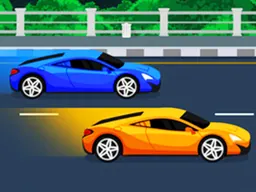
Need Speed is a free drag racing game you play right in your browser on any device, including mobile. You buy and craft faster cars with gold coins, then race them down scrolling tracks while sliding left and right to dodge obstacles, rival vehicles, and collect speed boosts to win.
The First Few Minutes
You start with a basic car and a straight road ahead. The game immediately throws you into a race: the track scrolls toward you, and you see obstacles coming down the middle—barriers, other racers, and gaps you need to avoid. Your first instinct is to steer left and right to dodge them, and that's exactly what you do. The screen response is snappy, so you feel the car react when you swipe. Within thirty seconds you'll either crash into something or collect a few diamonds floating on the track and realize there's a points system. If you survive the first run, you see how much gold you earned. That's your currency to buy a new car or combine two identical ones into a stronger model. The loop is simple: race, earn, upgrade, race better. Most players crash three or four times in those opening minutes because the obstacles come faster than expected, but after the fifth attempt, your brain adjusts to the timing.
Main Mechanic
Need Speed revolves around two connected systems: racing and car synthesis. During races, you control a single car down a procedurally scrolling track. Obstacles block your path constantly—stationary barriers, moving cars, and empty spaces you must thread through. You avoid them by swiping the screen or pressing keys to slide your car left or right. The track never stops scrolling; you're always moving forward. While racing, you collect diamonds scattered across the path and grab acceleration belts that temporarily boost your speed, letting you push through tougher sections. You fail when you hit an obstacle. Between races, you're in the garage. Here's where synthesis happens: if you own two identical cars, you can drag them together to craft a single improved version with better speed and handling. This new car becomes your racer. You also earn gold coins from successful races, which you spend to buy fresh cars from a shop. The progression is tied to your car collection—stronger cars let you race further, earn more gold, and buy newer models to synthesize into even faster ones. It's a loop that keeps you pushing forward because each run funds the next upgrade.
Controls
On desktop, use W and A keys to move your car left and right as obstacles approach. You can also use the arrow keys for the same purpose. Some players prefer holding one key to maintain direction through a cluster of obstacles. On mobile, drag your finger left or right across the screen to slide your car in that direction. The response is immediate—there's no acceleration delay, so your car shifts lanes the instant you input. In the garage, dragging works for the synthesis mechanic: you literally drag one car sprite onto another identical car to merge them. Tap buttons to spend gold in the shop or start a new race.
Mistakes Everyone Makes
New players often react too slowly to obstacles because they're watching the scenery instead of focusing on what's coming down the center line. By the time you see a barrier or rival car, it's sometimes already too late to dodge. The solution is simple: keep your eyes on the middle-upper third of the screen where threats appear first. Another common mistake is spending all your gold on random cars. Beginners see a shiny new vehicle in the shop and buy it immediately, but synthesis is where real power comes from. You need two copies of the same model to craft an upgrade. Buying one expensive random car leaves you stuck. Experienced players hoard gold, buy multiple copies of the same cheap car, synthesize them into improved versions, then cash in those upgrades for better results. Third, players underestimate the value of acceleration belts. Grabbing them isn't just about speed—it lets you burst through dense obstacle sections where you'd normally crash. A player who ignores belts dies sooner than one who prioritizes them.
When It Gets Harder
After your first dozen races, the game escalates noticeably. Obstacles cluster tighter together, and rival cars start moving unpredictably across lanes instead of staying in one spot. Your starter car, which felt responsive in the beginning, now feels sluggish when you need to make quick dodges. This is the wall where most players either push forward or quit. The answer is synthesis: if you've been saving gold and buying duplicates, you can craft an upgraded version of your car. That new version handles noticeably better. If you haven't prepared, you'll feel stuck, replaying the same early track over and over, barely earning enough gold to buy a single new car, let alone two copies to synthesize. The difficulty isn't unfair—it's designed to incentivize the upgrade system. Once you synthesize your first improved car and race it, the difference is stark. Lanes that felt impossible suddenly become manageable because your car responds faster and accelerates quicker. The game becomes fun again, but you also realize you're on a treadmill: you'll need to synthesize again soon, and then again after that. This is by design. The progression keeps accelerating.
How to Genuinely Improve
The first step is mastering dodge timing. Play races purely to practice, not to win. Watch how far ahead obstacles appear on the screen and develop a feel for when to commit to a lane change. After twenty races, your reflexes will sharpen. Second, adopt the synthesis strategy early: never spend gold on random cars. Pick one cheap car model and buy five or six copies of it over several races. Synthesize pairs into upgraded versions, then synthesize those upgrades into even stronger variants. You'll have one very powerful car plus several weaker ones. Use the powerful one for main progression races and weaker ones for casual runs. Third, always collect acceleration belts during races. They're not just for speed—they're safety nets. A belt burst can push you through otherwise lethal obstacle clusters. Players who grab every belt complete races thirty percent faster than those who ignore them. Finally, don't waste diamonds. They're rarer than gold and usually fund special purchases or boosts. Save them for moments when you're stuck on a particularly hard section and need a temporary edge.
What to Expect After an Hour
By the one-hour mark, you'll have completed several synthesis cycles and own at least two or three different car models in various stages of upgrade. You'll recognize that races are genuinely getting harder—obstacles are denser, rival cars are more aggressive, and tracks seem longer. You'll also realize the progression ceiling: each car can only be upgraded so many times before you need to buy an entirely new base model from the shop and start the synthesis chain again. Some players find this satisfying because it creates clear goals. Others feel the grind. The game's difficulty curve is steep but manageable if you've been synthesizing consistently. If you've been spending randomly, you'll feel frustrated because your car isn't strong enough and you don't have the resources to fix it quickly. By one hour, you'll also have a sense of your preferred car type—maybe you like a lightweight racer or a bulkier truck model—because different cars handle obstacles differently. The fundamental experience doesn't change: dodge, collect, race, synthesize, repeat. But the numbers grow, the obstacles get nastier, and your car collection becomes a source of pride. Whether that's compelling or repetitive depends entirely on whether you enjoy the synthesis metagame and the satisfaction of building toward a specific upgrade goal.
Controls
Keyboard and mouse
- W key or Up Arrow to move car up or left
- A key or Left Arrow to move car left
- D key or Right Arrow to move car right
- S key or Down Arrow to move car down or right
- Drag car sprites together in garage to synthesize
Touch
- Swipe left to move car left
- Swipe right to move car right
- Drag left or right across screen to dodge obstacles
- Drag one car onto another identical car in garage to synthesize them
FAQ
- Is Need Speed really free to play in a browser?
- Yes, it's completely free. Load it in your browser on desktop or mobile and start racing immediately. No download required.
- How does car synthesis actually work?
- You need two identical cars. Go to your garage, drag one car onto the other, and they merge into a single improved version with better speed and handling. You lose both original cars but gain one much stronger car. This is your main upgrade path.
- What's the difference between gold coins and diamonds?
- Gold coins are earned regularly from races and spent in the shop to buy new cars. Diamonds are rarer rewards from racing and are typically reserved for special purchases or boosts when you're stuck. Hoard diamonds unless you're in a tight spot.
- Can I play on my phone?
- Yes. The game runs at 750x1334 resolution and is optimized for mobile. Swipe left and right to dodge obstacles. It works smoothly on any modern smartphone browser.
- What happens when I crash?
- The race ends immediately. You see your score, how much gold you earned, and return to the garage. You can start a new race anytime. Crashing isn't permanent—it's part of the learning curve.
- Should I buy different car models or stick with one?
- Buy multiple copies of the same cheap car model so you can synthesize them into upgrades. Buying lots of different random cars wastes gold and leaves you unable to synthesize. Focus on one or two models until they're maxed out, then move to a new one.
- Why do acceleration belts matter if I'm just trying to survive?
- Belts boost your speed significantly, which lets you push through dense obstacle clusters faster. A speed burst can mean the difference between threading a tight gap and crashing. Always grab them when possible.
Similar games
More Action Games games →