Geo Jump Game - Free Platform Jumping in Your Browser
Geo Jump is a fast-paced platform game where you dash and jump through obstacles, playable free in your browser on desktop and mobile. Tap left and right to steer your character and rack up points in this quick, addictive hypercasual experience.
The Idea of the Game
Geo Jump strips platforming down to its essentials: you control a character that moves and jumps, and your job is to stay alive as long as possible. The screen scrolls continuously, bringing new obstacles and gaps toward you at increasing speed. There's no story, no cutscenes, no tutorial dialogue. You start, you move, you either clear the platforms or you fall. Each run is short enough that you can play five rounds in the time it takes to wait for coffee, but the difficulty ramps fast enough that even veterans will restart several times before hitting a personal best. The game rewards rhythm and quick reflexes over strategy or memorization. Every session feels fresh because the pacing never lets you settle into a pattern.
How to Play
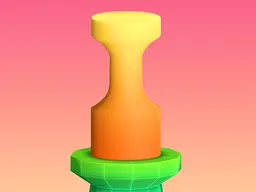
You start at the bottom or middle of the screen, and platforms or obstacles move toward you automatically. Your character is a simple shape—a ball or geometric form—and your only actions are to move left or right and jump. The jump either happens automatically when you reach an edge, or you time it yourself by tapping. Your goal is to land cleanly on each platform as it passes. Miss and you fall off the screen, ending your run. Points accumulate based on how many obstacles you clear or how long you survive. The first few jumps feel easy, almost boring, but by the tenth platform the spacing tightens and the rhythm becomes unforgiving. That's where most new players fail their first few times. Once you internalize the timing, you'll chase higher scores and longer streaks.
Controls
On desktop, use your mouse to control the character's position. Move the mouse left or right to steer, and the jump either triggers automatically or on a mouse click depending on the level design. On mobile, tap the left side of the screen to move your character left, and tap the right side to move right. Jump timing is either automatic at platform edges or triggered by a tap in the center. The controls are intentionally simple because the challenge isn't memorizing complex inputs—it's reacting fast enough to navigate a path that narrows as the game accelerates.
Strategies That Work
The most reliable approach is to stay centered as much as possible and commit to your movements early. Waiting too long to shift left or right means you'll be mid-slide when the platform arrives, causing a miss. Many players learn to anticipate the pattern by watching the first few levels—platforms often alternate sides or space themselves in rhythm. Staying loose with your tapping helps too; jabbing frantically wastes energy and makes it harder to land precisely. The game rewards deliberate, measured actions over panic. Once you've played ten runs, you'll start seeing invisible rhythm in the platform placement, and that's when your scores jump dramatically. Don't fight the speed; let it push your instincts faster.
What Separates Good Players
Good players develop a feel for the game's tempo within a few runs. They don't overthink each jump; instead, their hands react before their brain catches up. They also know when to play aggressive versus when to play safe. In early levels, it's fine to position yourself aggressively near the edge of the platform because there's time to recover if the next obstacle surprises you. In later levels, that same strategy gets you killed because the margin for error shrinks. Expert players also don't get discouraged by a string of quick deaths. They see each failed run as a practice round that teaches them something about spacing or timing, then immediately queue another attempt. The score chase becomes less about luck and more about pattern recognition paired with muscle memory.
Variations and Modes
Depending on the version you're playing, Geo Jump may include different mode variations. Some versions feature time attack rounds where you survive for a set duration rather than clearing a fixed number of obstacles. Others introduce modifiers like inverted controls, slowed-down speeds for learning, or increased difficulty curves. The base game is always about continuous forward momentum and splitting your attention between left-right movement and jump timing. A few versions add collectibles or power-ups that appear on certain platforms, giving you a secondary reason to hit specific spots. These variations don't change the core loop—dodge and jump, repeat until you miss—but they give returning players new reasons to keep playing. The hypercasual design means no playthrough takes more than a couple of minutes, making it perfect for playing during breaks or while multitasking.
Similar Games
If you enjoy Geo Jump, you'll recognize the DNA it shares with Flappy Bird and its successors—single-button or dual-button mechanics that seem simple until the difficulty curve proves otherwise. The genre also includes games like Crossy Road and Jumpy that blend platform jumping with endless procedural progression. All these games lean on the same principle: make the core action feel snappy and responsive, then increase the speed until reflexes alone become insufficient. You need calm and pattern recognition. The casual audience loves these games because a loss never feels like the game cheated you; you know exactly what you should have done differently. You also never lose more than a minute of progress, so jumping back in feels effortless. Geo Jump follows that formula closely, making it an ideal entry point if you're new to hypercasual platformers.
Controls
Keyboard and mouse
- Move mouse left or right to steer your character
- Jump automatically at platform edges, or click to jump manually
- Stay centered and commit to movements early to land cleanly
Touch
- Tap the left side of the screen to move your character left
- Tap the right side of the screen to move your character right
- Jump automatically at edges, or tap the center to jump manually
FAQ
- Is Geo Jump really free and do I need to download it?
- Yes, it's completely free and plays directly in your web browser. No download, no installation, no sign-up. Just click play and you're in.
- Does it work on my phone?
- Yes. The game is designed for mobile screens and runs smoothly on phones and tablets. Touch controls work just as well as mouse controls on desktop.
- How do I know when to jump?
- The jump either triggers automatically when you approach an edge, or you tap to jump. Pay attention to the first few levels to understand the rhythm, then your reflexes will take over.
- Why do I keep dying at the same spot?
- That's usually where the game's speed or platform spacing changes. Each failed attempt teaches you something about timing. Watch where your character's position is when you tap, and adjust slightly for the next try.
- Is there an end to the game or does it go on forever?
- Geo Jump continues until you miss a platform. There's no final level or victory screen—the challenge is beating your personal best score.
- Can I pause the game?
- Most versions don't have a pause button because the pacing is core to the experience. Each run is short enough that stopping mid-game isn't necessary.
- Do I compete against other players?
- The standard version focuses on single-player score chasing. You're competing against your own high score and the clock.
Similar games
More Hypercasual Games games →