Free Rider HD
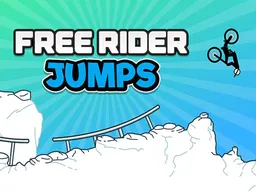
Free Rider HD is a free browser-based stickman bike racing game where you ride across tracks designed by millions of other players, available on desktop and mobile. Your job is to collect all the stars on each track to complete it, navigate the terrain without crashing, and unlock new challenges from an endless library of user-created courses. It's a physics-based racing game where balance and tim
About the Game
Free Rider HD puts you in control of a stick figure on a bike, racing across tracks that other players have drawn and shared. The core loop is simple: pick a track, ride from start to finish while collecting stars scattered along the way, and try not to crash. Every track is different because they're all made by the community. You might hit a smooth downhill section one moment and then face a vertical loop or a wobbly bridge the next. The game has been played over a billion times across the web, and it comes with virtually infinite content because new tracks are being created constantly by the player base. If you get stuck on a track that feels impossible or just not fun, you can skip it and jump into another one. There's no single campaign or progression through developer-made levels. Instead, you're surfing through a massive ocean of community creations, each one a different puzzle to solve with your bike.
How to Play
When you start Free Rider HD, you'll see your stick figure sitting on a bike at the beginning of a track. Your immediate goal is to reach the finish line while grabbing as many stars as possible along the way. The track itself is drawn as a line or series of platforms, and gravity pulls your bike downward constantly. Collecting all the stars on a track counts as completing it fully. Most tracks have a clear path to the finish, but the stars are often tucked into corners, off the main route, or positioned in spots that require precise riding to grab them without falling off. The first few tracks ease you in with simple slopes and straightforward star placements. But as you progress through different user-created courses, you'll encounter jumps where timing your acceleration matters, tight turns where leaning wrong means disaster, and obstacles that force you to plan your approach. When you crash, you restart from the beginning of that track instantly. There's no lives limit and no score penalty for failing, so the game rewards trial and error. You learn each track's layout by attempting it multiple times, adjusting your technique, and eventually finding the rhythm that gets you through.
Controls
On desktop with a keyboard, you use the left and right arrow keys to tilt your bike backward and forward, which controls your angle and balance. Press the up arrow to accelerate forward. These three directional inputs are everything you need. The trick is managing how much you tilt and when you accelerate. Tilt too far forward and your front wheel digs in; lean too far back and you'll flip backward. On mobile, the controls are touch-based. You'll find left and right arrows on-screen to handle tilting, plus an accelerate button. The layout is scaled for smaller screens, so your thumb has room to tap without blocking your view of the track. Both control schemes work with the same physics underneath, so the challenge is identical whether you're playing on a computer or a phone.
Tips for Scoring More
Completing a track fully means collecting every star, not just crossing the finish line. Before you rush through, take a moment to scan the track layout and spot where the stars are positioned. Some sit right on the main path, but others are hidden in side sections or require a detour. On your first attempt, focus on just reaching the end. On your second pass, you know the layout, so now you can hunt for any stars you missed. Consistency beats speed. Many players make the mistake of mashing acceleration, but riding smoothly with gentle tilts keeps your bike stable. When you're about to hit a jump or gap, build speed first, then commit to the jump with a slight backward tilt to keep your front wheel up. Landing smoothly preserves momentum and prevents crashes that waste time. Practice the same track a few times and you'll develop a feel for which sections need caution and which let you go faster. Pay attention to the terrain itself. Smooth downhill sections let you build speed safely. Uphill sections slow you down, so you might need extra acceleration to climb them. Wobbly or thin platforms demand slow, deliberate tilts.
Advanced Moves
Once you understand the basics, you can start executing more complex maneuvers. One technique is the wheelie, where you tilt far back on flat ground to lift your front wheel while accelerating. Wheelies aren't always faster, but they let you cross thin platforms without your front wheel catching an edge. Another is the bunny hop effect, where you combine a backward tilt into a jump area followed by a forward tilt as you leave the ground. This helps you gain air and clear longer gaps. On high-speed sections, you can use short, quick tilts instead of big movements to stay balanced without losing momentum. Some players learn to read a track's shape so well that they can maintain near-maximum speed throughout by predicting exactly when to adjust angle. The most advanced technique is finding shortcuts. Many user-created tracks have multiple paths to the finish. The obvious route might zig-zag across the screen, but a skilled rider can sometimes spot a steeper drop-down or a gap jump that cuts across the terrain and saves time. These shortcuts often require precise landing, so they're not always faster in practice, but they're what separates a casual clear from a speedrun.
Modes and Stages
Free Rider HD doesn't have traditional mode selection or a fixed campaign. Instead, it's a continuous stream of user-created tracks. When you finish one, you pick the next one. You can browse by popularity, newest, or random selection, so you might play the most-liked tracks or discover experimental ones fresh from the workshop. Since there's no predefined story or progression, your journey depends entirely on which tracks you choose to ride. Some players focus on completing all the popular classics. Others like hunting for hidden gems or attempting the hardest community-designed challenges. There's no penalty for skipping a track you don't enjoy, so you have full control over your experience. The community aspect means new content appears constantly. Tracks you play today might be different from tracks available tomorrow, and if you find a track you love, you can replay it anytime.
Who This Game Is For
Free Rider HD appeals to anyone who enjoys physics-based racing and stickman games. If you liked games like Happy Wheels or Elasto Mania, this will feel familiar. The learning curve is gentle enough for casual players. You can jump in, try a few tracks, and understand the core idea in minutes. But the skill ceiling is high enough to keep dedicated players engaged for hours. Completionists will find endless challenges because there are always more tracks to finish and more stars to collect. The game also attracts creative players who enjoy designing their own tracks and sharing them with the community. Since every track is community-made, this game rewards curiosity about what other players have created. It's best suited for players who like experimenting and learning through repeated attempts rather than following a set story. If you enjoy browser-based games that don't require downloads and want something you can pick up for five minutes or sink into for an evening, Free Rider HD fits that need. The mobile version means you can play on your phone during a commute, and the simple controls translate well to touch screens.
Controls
Keyboard and mouse
- Left Arrow: Tilt bike backward (lean back)
- Right Arrow: Tilt bike forward (lean forward)
- Up Arrow: Accelerate
Touch
- Left Arrow Button (on-screen): Tilt bike backward
- Right Arrow Button (on-screen): Tilt bike forward
- Accelerate Button (on-screen): Speed up
FAQ
- Is Free Rider HD really free, and do I need to download anything?
- Yes, it's completely free and runs directly in your web browser. There's no download required. You can start playing immediately on desktop or open it in a mobile browser on your phone or tablet.
- Who creates all the tracks I'm riding on?
- Other players create them. Free Rider HD has a track editor that lets anyone design and upload their own courses. That's why there's essentially infinite content. Every track you ride was made by a community member.
- What happens if I crash or fall off my bike?
- You respawn instantly at the start of the track with no penalty. There's no lives counter or score deduction. You can attempt a track as many times as you want until you complete it or decide to move on to a different one.
- Do I have to collect all the stars to finish a track?
- You need to reach the finish line to pass a track, but collecting all the stars is optional. However, fully completing a track means grabbing every star. Many tracks are designed so some stars require you to take alternate routes or make precise movements.
- Can I skip a track if I don't like it?
- Yes, you can skip any track and play a different one. There's no obligation to complete every course. You might skip a track because it's too hard, doesn't interest you, or feels unfairly designed.
- How do I know what the best tracks are?
- You can browse tracks by popularity, which shows the most-played and highest-rated courses. This is a good way to find well-designed classics that lots of players have enjoyed. You can also explore new tracks or filter by difficulty.
- Does the game work on mobile phones?
- Yes, Free Rider HD works on mobile browsers. The controls are adapted for touch screens, and the game scales to fit smaller displays. Performance and experience are comparable to desktop.
Similar games
More Action Games games →