Drift Racer
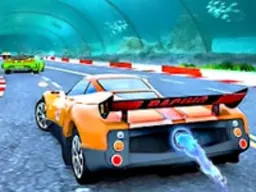
Drift Racer is a free racing game that runs directly in your web browser on desktop and mobile, where you drive high-performance sport cars and chain together drifts across five different tracks to rack up points and compete against the clock.
About the Game
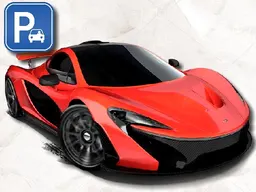
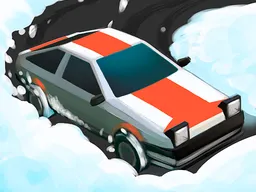
Drift Racer puts you behind the wheel of one of twelve sport cars on tracks built for one thing: sliding around corners at high speed. Unlike traditional racing games where you want to take the racing line cleanly, Drift Racer rewards you for breaking grip and maintaining a controlled slide through turns. The game runs in your browser window at 960 by 600 pixels, so it works just as well on a smartphone as it does on a desktop. The core loop is straightforward but demands precision. You pick a car, select a track, and then spend your time threading the needle on every corner—keeping your speed up while your car sideways. The graphics strike a balance between clean and stylized, giving you a clear view of the road and your car's angle without unnecessary clutter. Whether you want a quick five-minute session or a longer grind trying different vehicles and tracks, Drift Racer is built to slot into your day without demanding a download or installation.
How to Play
When you start a run, you're on one of five tracks with a sport car under your control and the goal of drifting through as many corners as possible while maintaining momentum. The game measures your performance through your drifting ability. Each turn you approach requires a decision: brake and turn in cleanly, or carry more speed into the corner and drift through it. Momentum is your life bar. If you crash hard into a wall, your run ends. If you brush a barrier gently while drifting, you might lose some speed but keep going. The longer your session lasts, the more opportunities you have to improve your technique and unlock a better feel for each track's layout. You have five different environments to master, each with its own rhythm. Some tracks are wide and forgiving for beginners learning the drift mechanic. Others tighten up and force you to be more precise with your inputs. The twelve different sport cars available handle slightly differently from each other, so trying new vehicles will feel like learning a track all over again—but that variety keeps the game fresh across multiple play sessions.
Controls
Drift Racer uses a straightforward control scheme that most players will recognize from other racing games. On desktop with a keyboard, you steer using either WASD or the arrow keys—forward accelerates, backward brakes, and left and right turn. The spacebar is your handbrake, which you tap or hold to initiate and maintain a drift. Shift activates your car's boost for brief bursts of extra speed. The C key switches between camera angles so you can find the view that works best for your driving style. Press Escape to return to the main menu at any time. On mobile and touchscreen devices, the controls adapt to work with your fingers. Tap and drag to steer, use on-screen buttons for acceleration and braking, and tap the handbrake button to slide. The camera switch and boost buttons are also available as touch targets on the screen. The game scales to fit whatever device you're using, so a phone screen gives you the same racing experience as a desktop browser, just adapted for your input method.
Tips for Higher Scores
Your score in Drift Racer comes from executing drifts, not just finishing lines. The longer and smoother your drift, the more points you earn. This means the key is learning each track's layout so you can anticipate corners before you reach them. Enter corners too slowly and you'll oversteer into the wall. Enter too fast and you'll wash out. The sweet spot is carrying just enough speed into the turn that when you hit the handbrake, your rear slides out predictably and you maintain momentum through the apex. Practice this on the same track repeatedly until the braking point becomes muscle memory. Boost is a resource, not a constant. Use it on straightaways to set up the next corner with better speed, not in the middle of a drift where it'll send you wide and ruin your line. Different cars have different acceleration characteristics, so if you're struggling with a track, try swapping to a different vehicle—sometimes a lighter car or one with better grip will click with you where another didn't. Watching your car's angle is crucial. When you're drifting well, you'll see your car sideways at a consistent angle. If that angle suddenly changes or increases, you're losing control. Small adjustments to your steering before that happens will keep you balanced. This takes practice, but once you develop the feel, you'll start stringing together longer and longer drifts.
Advanced Techniques
Once you've mastered the basic drift, Drift Racer opens up to more nuanced driving. Chaining drifts means exiting one slide and immediately entry the next corner in a drift as well. This requires rhythm and consistency. You can't coast between turns. Instead, you need to exit each drift at an angle that points you toward the next corner, then hit the handbrake again before you've fully straightened out. Tuning your boost timing separates good players from great ones. Release boost at the exact moment you initiate a drift, and you'll carry speed into the slide while maintaining control. Use it too late and your car will overshoot. Use it too early and you'll waste the momentum. Camera angles matter more than they first appear. The default view works for most situations, but switching to a different angle before certain technical sections can give you a clearer line through tighter corners. Some players prefer the overhead view for precision, while others stick with the standard angle for speed. Each of the twelve cars handles the handbrake differently. Heavier cars need more deliberate inputs and take longer to begin sliding. Lighter, nimbler cars respond instantly to handbrake input but are easier to over-correct with. Learning one car deeply, then gradually trying others, will teach you how the game fundamentally works beneath its surface.
Modes and Tracks
Drift Racer gives you five distinct tracks to master. Each one has its own character in terms of corner tightness, wall placement, and rhythm. Your goal across all modes is the same: survive as long as possible while drifting. This isn't a lap-based racing game where you're competing for first place. It's about personal mastery and pushing your own performance higher. You'll choose your car from a roster of twelve sport vehicles, each with different handling characteristics and visual designs. Once you've picked your car and track, the game begins immediately. There's no setup time or tutorial interruption—you're driving within seconds. This streamlined approach means you can jump into another run right after you crash, which keeps the pacing tight and the learning loop fast. The five tracks vary enough that they feel genuinely different to learn. Some reward smooth, flowing driving where you can almost dance through corners. Others have tight technical sections that punish hesitation. This variety means that a car and track combination that works beautifully on one course might feel awkward on another, encouraging you to experiment across the full roster.
Who This Game Is For
Drift Racer is built for players who enjoyed arcade racing games and want something they can play in short bursts without commitment. You don't need to schedule a thirty-minute session. You can play for three minutes, crash, and move on with your day—or get locked in and play for an hour. If you've played racing games before and want to learn the specific skill of drifting, this is an ideal practice ground. The game doesn't punish you harshly for mistakes. Tap a wall gently and you're fine. Only hard crashes end your run, so there's room to experiment and learn. The gradual difficulty curve across the five tracks and twelve cars means complete beginners can learn on forgiving tracks, while experienced players can push themselves on more technical layouts. This game works well for mobile gamers. The touchscreen controls adapt naturally to fingers instead of keyboard keys, and the 960 by 600 pixel window means it won't dominate your screen or drain your battery in three minutes. It's also perfect if you want a game that loads instantly in any browser—no app installation, no waiting, no bloat.
Controls
Keyboard and mouse
- W or Up Arrow: accelerate forward
- S or Down Arrow: brake
- A or Left Arrow: steer left
- D or Right Arrow: steer right
- Spacebar: handbrake for drifting
- Left Shift: activate boost
- C: switch camera view
- Escape: return to main menu
Touch
- Tap and drag left or right to steer
- Tap accelerate button to go forward
- Tap brake button to slow down
- Tap handbrake button to drift
- Tap boost button for speed burst
- Tap camera button to change view
- Tap menu button to exit to main menu
FAQ
- Is Drift Racer free to play?
- Yes. Drift Racer runs completely free in your web browser. There's no cost to download, no subscription, and no payment required to access all five tracks and twelve cars.
- Do I need to download anything to play?
- No. The game runs directly in your browser window. Click play, and you're racing within seconds. It works on desktop, tablet, and mobile without installation.
- What's the difference between drifting and just turning?
- When you drift, your car slides sideways through a corner while you maintain momentum. Turning normally means your car stays pointed in the direction you're heading. Drift Racer rewards drifting because it lets you carry more speed through corners than turning cleanly would. Use the handbrake to initiate a drift, and hold it until you're ready to exit the corner.
- How do I chain drifts together without crashing?
- Exit one drift at an angle that naturally points you toward the next corner, then hit the handbrake again before your car fully straightens out. The timing takes practice. Start on simpler, wider tracks and gradually work toward tighter corners as you develop the feel for the spacing.
- Do all twelve cars drive the same way?
- No. Each car has different handling characteristics. Some are heavier and respond more slowly to the handbrake but feel more stable. Others are lighter and snap into drifts instantly but require more precise inputs. Try different cars on the same track to discover which one clicks for you.
- Can I play on my phone?
- Yes. Drift Racer is optimized for mobile devices and works on phones and tablets. The touchscreen controls adapt from keyboard inputs so that tapping and dragging your finger steers your car instead of pressing keys.
- What happens when I crash?
- Hard crashes end your run and send you back to the menu to pick a car and track again. Small bumps into walls while drifting don't end your run, just slow you down slightly, so you have some margin for error while learning.
- How many tracks are there?
- Five different tracks are available, each with its own layout and difficulty. All of them are available from the start, so you can jump to whichever one you want to practice on.
Similar games
More Racing Games games →