Drift Cars Drifting - Free Racing Game
Drift Cars Drifting is a free racing game you play instantly in your web browser on desktop, tablet, or mobile. Pick an unconventional car and slide sideways through heavy traffic across multiple lanes, dodging obstacles and surviving dangerous encounters while keeping control of your vehicle.
What Is This Game
Drift Cars puts you behind the wheel of an unusual vehicle with one job: navigate through dense traffic by driving sideways. The core mechanic revolves around lateral movement across multiple lanes rather than traditional forward-racing competition. You're not racing against opponents on a track. Instead, you're maneuvering through a live highway where traffic flows constantly, and your car slides perpendicular to that flow. The game features hazards beyond regular vehicles too—a speeding train presents an additional threat that demands your attention and timing. The visual setup is simple: multiple lanes of traffic moving in one direction, your car positioned to move across those lanes, and obstacles appearing with enough frequency to keep you engaged but not so fast that the game feels unfair in the first thirty seconds.
Is It Worth Playing
Drift Cars delivers straightforward arcade action without complications. If you enjoy games that demand quick reflexes and split-second positioning decisions, this scratches that itch. The mechanics are easy to understand—slide left, slide right, don't hit anything—but execution requires attention. There's no grinding, no progression systems to unlock over weeks, no storyline that demands investment. What you get is immediate play: start a run, see how far you get, try again. This works well for 5-10 minute gaming sessions between other activities. The threat of the train adds variety to what could otherwise feel repetitive, creating moments where the stakes feel higher than a simple traffic obstacle. Fans of rc drift cars or casual racing games will find the sideways movement mechanic refreshing compared to standard racing formats. The game respects your time by getting you playing within seconds of loading.
How to Start
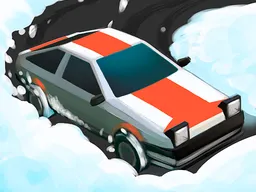
Load the game in your browser and you're immediately presented with your car selection screen. The interface shows your kooky vehicle options—each with distinct visual personality. Choose whichever appeals to you; the selection is cosmetic and doesn't affect performance. Once you've picked your car, the game places you on the highway. Traffic appears in multiple lanes moving in one direction. Your vehicle starts in position, ready to respond to your input. The first few seconds feel calm: traffic is visible, your car is still, and you understand the basic layout. Then traffic accelerates, the pressure mounts, and you start sliding between lanes to survive. If you hit a vehicle or the train appears in your path, your run ends. There's no tutorial beyond this—the game trusts you'll grasp the concept from watching the first attempt. Your score typically reflects distance traveled or time survived, giving you a concrete number to chase on your next try.
Controls
Desktop: Use left and right arrow keys to steer your car across lanes, or the A and D keys for the same function. Some versions respond to mouse movement as well. Mobile and tablet: Tap the left side of the screen to move your car left, tap the right side to move it right. Hold and release quickly to make sharp directional changes. The controls are intentionally simple—one axis of movement, two directions. This simplicity means the challenge comes from timing and decision-making, not from struggling with complex inputs. Once you understand that your car slides perpendicular to traffic flow, the control scheme becomes intuitive. Reactions matter more than mastering a complicated button combination.
What Changes Over Time
Your first run feels manageable because traffic density builds gradually. Early lanes are easier to navigate, and the train doesn't appear immediately. As you survive longer, traffic intensifies. Gaps between vehicles narrow. The speed feels faster. The train arrives with less warning. What started as a relaxed sideways cruise becomes a test of how quickly you can react and anticipate where safe gaps will appear. Some versions introduce visual changes—the background shifts, lighting changes, or the environment reflects time passing. Cars games drift often feature this escalation as core design: survival time increases difficulty organically rather than through sudden rule changes. You're not learning new mechanics halfway through; you're simply handling the same mechanics at higher intensity. This keeps the game accessible to new players while remaining challenging for those chasing higher scores.
Mistakes That Cost
Your biggest mistake is hesitation. Empty gaps appear between traffic constantly, but they close just as fast. Players new to the game often wait too long, trying to guarantee safety before moving. That hesitation leaves you vulnerable because you're staying in a lane where traffic is heading. Commit to the slide, reach the gap, and prepare your next move. Your second mistake is forgetting about the train. When the train appears, it occupies multiple lanes and moves faster than regular traffic. Players focused on dodging cars often don't see the train until it's too late. Keep peripheral awareness that a train threat exists—when you hear the audio cue or see the track warning, acknowledge that the entire flow has changed. Your third mistake is panicking when traffic feels heavy. Density increases as you survive longer, yes, but gaps still exist. Panic leads to erratic sliding that wastes your ability to reach actual safe spaces. Stay calm, move with purpose, and treat each lane change as deliberate.
Where and What Device to Play
Drift Cars runs directly in your web browser without requiring any download or installation. Visit Atomo Play and launch the game instantly. On desktop, open any modern browser—Chrome, Firefox, Edge, Safari—and the game loads at full 800x600 resolution, giving you the crisp visuals and responsive controls the game needs. Keyboard controls feel natural at this size. On tablet, the game scales beautifully to larger screens while maintaining touch controls. The wider display gives you better awareness of lanes and approaching traffic. On mobile phones, the game adapts to portrait or landscape orientation depending on your device. Landscape mode generally works better because it spreads lanes across more screen space, making it easier to see gaps and react. The game works on any device with a modern browser and internet connection. No plugins, no apps, no subscriptions. Play one round during a break or attempt multiple runs in sequence. Switching between devices doesn't affect your game—start on phone, continue on desktop, the game works identically wherever you access it from.
Controls
Keyboard and mouse
- Left Arrow or A key to move your car left across lanes
- Right Arrow or D key to move your car right across lanes
- Some versions support mouse left and right movement
Touch
- Tap the left side of the screen to slide your car left
- Tap the right side of the screen to slide your car right
- Quick taps create sharp directional changes
FAQ
- Is this game really free and do I need to download it?
- Yes, completely free. There's no download required. Just visit Atomo Play in your web browser and start playing immediately. The game runs in your browser window at 800x600 resolution.
- What exactly do I do—am I racing against other cars?
- No, this isn't traditional racing. You're driving sideways across multiple lanes of traffic that flows in one direction. Your job is to dodge oncoming vehicles and obstacles by sliding left and right between lanes. Survive as long as possible without hitting anything.
- Can I play this on my phone?
- Yes. The game works on mobile, tablet, and desktop. On phones, landscape mode generally gives you the best view of the lanes. Touch controls on mobile work the same way—tap left side to move left, tap right side to move right.
- What's this train I keep hearing about?
- The train is an obstacle that appears during your run and crosses multiple lanes at once. It's faster and more dangerous than regular traffic, forcing you to clear the track completely when it arrives. It adds variety and raises the difficulty.
- Does the game have levels or does it just end?
- The game runs continuously until you collide with a vehicle or the train. There are no traditional levels. Your score tracks how long you survived or how far you traveled. Each run is an attempt to beat your previous best before the inevitable crash.
- Why is my car so weird looking?
- That's intentional. Drift Cars gives you kooky, unconventional vehicles to drive. They're chosen for personality rather than performance—each car looks different but plays the same way. Pick whichever one appeals to you.
- Is there a way to get better at this?
- Yes. Learn to commit to lane changes instead of hesitating. Keep awareness of where the train might appear. Anticipate gaps in traffic before they reach you. Play several runs and you'll develop faster reaction times and better prediction of where safe spaces will open up.
Similar games
More Racing Games games →