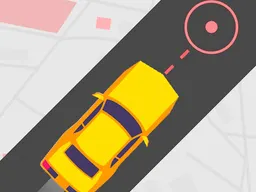
BlockOut! - Free Arcade Game
BlockOut is a free browser-based arcade game you can play instantly on desktop and mobile where you guide a colored block through moving gaps in real time, scoring points by timing your movements perfectly through an endless stream of obstacles.
What Is This Game
BlockOut is a reflex-based arcade experience built around a single core mechanic: you control a block moving on screen and must guide it through gaps in incoming obstacles. Think of it like Flappy Bird's DNA spliced with the constant forward momentum of a side-scrolling arcade game, but the challenge comes from vertical positioning rather than jumping. Your block moves continuously, and gaps appear at different heights as they approach. Your job is to be in exactly the right spot when each obstacle reaches you. There is no story, no levels in the traditional sense, no bosses to defeat. This is pure arcade: one button press away from game over, and the score counter climbing with each successful dodge. The entire game fits on screen at once. You see your block, you see the gap coming toward you, and you have about a second to react. That simplicity is the hook. Anyone can understand BlockOut in ten seconds. Staying alive for ten more seconds is where the difficulty lives.
Is It Worth Playing
BlockOut works if you want a quick arcade session you can pause or quit at any moment without penalty. If you are the type who enjoys leaderboards and racking up high scores—pushing to beat your personal best by two or three more points—this game delivers that loop. The customization options let you change the colors of your block and the obstacle gaps, so you can make the game look the way you want. For players tired of story-heavy games or complex mechanics, BlockOut strips everything away and asks just one question: can you stay alive one more second? The first few attempts teach you how much harder the game is than it looks. That gap that seemed wide enough when you saw it from far away closes in fast once it reaches you. The margin for error shrinks. Around your fifth or sixth attempt, something clicks, and you realize the game is not about being perfect but about being consistent and reacting fast. That moment—when you go from panic to focus—is when BlockOut clicks. If you play hypercasual games on your phone during commutes or want something to load instantly in a browser tab while multitasking, this fits the bill. If you need narrative or progression unlocks, this is not your game.
How to Get Started
There is nothing to download or install. You click the play button on this page, and the game loads in your browser within seconds. No account creation, no tutorial, no settings menu you have to navigate before your first game starts. You are in the game almost immediately. The first thing you see is your block on screen and an approaching gap. Within two or three seconds, your first obstacle is upon you, and you are already playing. The game teaches itself by throwing you into it. Your first few runs will last only seconds—maybe you do not react fast enough, maybe you misjudge the height, maybe your timing is off by a fraction. That is normal. Each run after that, you understand the speed and spacing a little better. The game does not punish failure with long load screens or penalties. You die, you see your score, and you start a new run instantly. This rapid failure-and-retry cycle is the entire point of hypercasual design. You are never more than a few seconds away from another attempt.
Controls
The control scheme is designed for one thing: positioning your block vertically to line up with the gaps. On desktop with a mouse or trackpad, you click and hold to move your block up, and you release the mouse button to move it down. The longer you hold, the higher your block climbs. On mobile or touch devices, the controls work the same way: press and hold your finger on the screen to move up, lift your finger to move down. There is no complex combo system, no hidden button combinations, and no timing windows for special moves. It is pure analog input: hold for up, release for down. Your only variable is how long you press. The game does not require precision aiming or multiple simultaneous button presses. Your entire focus is on one axis of movement: are you high enough or low enough to fit through the gap that is about to hit you. Because the gaps appear at various heights and the obstacles come at a steady pace, you will find yourself making small adjustments constantly, holding for half a second here, releasing for a quarter-second there.
What Changes Over Time
The core mechanic stays the same throughout your play session, but the game gets harder as you survive longer. The gaps do not widen as you score points. The obstacles do not slow down. What changes is your fatigue and attention span. In your first minute, you are fresh and can track the incoming gaps with ease. By minute three or four, you have to concentrate harder because the repetition dulls your reflexes. You start missing gaps you would have dodged easily earlier. This is by design in hypercasual games: the difficulty curve is not about new mechanics or harder obstacles, but about the player's mental stamina. The longer you play without a break, the more likely you are to make a mistake. The customization options—changing colors of your block and gaps—do not affect difficulty; they are purely visual. You might choose colors that contrast more sharply to help you see the gaps faster, or colors you find more appealing. The game does not have unlockable blocks, new obstacle types, or mode variations that you earn by scoring a certain amount. What you see in your first game is what you get in your hundredth game. The challenge is entirely about how many points you can string together in one continuous session.
Mistakes That Cost You
The most expensive mistake is overcommitting to a vertical position. You hold down to climb up to reach a gap, but you climb too high and collide with the top edge of the obstacle. Or you release too early trying to duck under a low gap and slam into the bottom edge. The game gives you no second chances. One pixel of collision ends your run. This sounds harsh until you realize that is what makes the arcade feel pure: every death is on you, not the game. There is no randomness in gap placement or obstacle speed—every run is consistent. If you failed a gap last time, the same gap will appear in the same place next time. Your second mistake is panicking when a gap comes faster than you expected. The gaps do not move at variable speeds, but the visual illusion of speed changes depending on how close the obstacles are to you. You panic and make a hasty movement instead of holding your position. Your third mistake is not adjusting to your own reflexes. Some players are faster than others. Some find the sweet spot quickly; others need to play ten more runs to internalize the timing. Trying to play faster than your reaction time allows will cost you. The game does not have a skill progression system that softens the difficulty for new players. You either adapt to the pace, or you keep dying. That is the hypercasual trade-off: instant access and instant feedback, no hand-holding.
Where and What Device to Play On
BlockOut runs in any web browser on desktop, tablet, and smartphone. You do not need to download an app or create an account. On a desktop computer, you open the game in Chrome, Firefox, Safari, or Edge and play immediately. The game is optimized for a 1920 by 1080 screen ratio, which matches most desktop monitors and laptops. On mobile, the game scales to fit your phone or tablet screen and works with touch controls. Whether you are playing on an iPhone, Android device, iPad, or a laptop, the experience is the same: click or tap, hold and release. You can play during your lunch break, on public transit, or while waiting in line. Because there is no progress saving between sessions and no penalty for quitting mid-run, you can play for five minutes or fifty minutes without commitment. The game does not require an internet connection once it has loaded, depending on your browser and how the site is configured. This makes BlockOut a true pickup-and-play experience.
Controls
Keyboard and mouse
- Click and hold the left mouse button to move your block up
- Release the mouse button to move your block down
- Adjust how long you hold to control vertical position
Touch
- Press and hold your finger on the screen to move your block up
- Lift your finger off the screen to move your block down
- Hold longer to climb higher, release faster to descend
FAQ
- How do I score points in BlockOut?
- You score one point each time you successfully guide your block through a gap without colliding. The game does not have levels or checkpoints. Your score is simply how many consecutive gaps you dodged. When you hit an obstacle, your run ends and your final score is recorded.
- Is there a high score leaderboard or way to compare scores?
- The game tracks your high score, and you can try to beat it on future runs. Whether there is a global leaderboard comparing your score to other players depends on the platform, but the core experience is competing against your own personal best.
- Can I pause the game or take a break mid-run?
- Once you start a run, the obstacles keep coming until your block collides with one. There is no pause function in a true arcade game. If you need to step away, your current run ends, but you can start a new one immediately when you return.
- Do the gap sizes change or get smaller as I score more points?
- No. The gaps stay the same size and appear at the same speed throughout your entire session. The game does not become mechanically harder. The difficulty comes from player fatigue—you get tired, your reflexes slow down, and you make mistakes.
- What do the color customization options do?
- Changing the colors of your block and the gaps is purely visual. It does not affect how the game plays or how difficult it is. Some players choose colors with higher contrast to make the gaps easier to see, while others just pick what looks better to them.
- Can I play this game on my phone, or is it desktop only?
- BlockOut works on phones, tablets, and desktops. The touch controls on mobile work the same way as the mouse controls on desktop: press and hold to move up, release to move down.
- How long does an average game session last?
- Most players last anywhere from a few seconds to a few minutes in their early runs. As you improve and understand the timing, you can survive longer. There is no time limit, so a run lasts until you hit an obstacle.
- Do I need to download anything or create an account to play?
- No. The game runs directly in your browser and loads instantly. No download, no account, no sign-up. You click play and start immediately.
Similar games
More Hypercasual Games games →