Ball Run
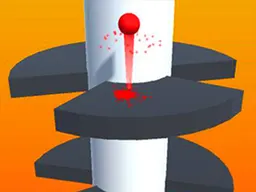
Ball Run is a free 3D action game you play right in your web browser on desktop or mobile, where you guide a ball through obstacles by matching colors to stay in the game.
What Is This Game
Ball Run drops you into a colorful 3D world where a single ball is your avatar and your only tool. The game is built around a simple but demanding premise: as your ball rolls forward automatically, you need to guide it past obstacles and through sections that require you to match specific colors. The environment moves toward you in a first-person perspective, and obstacles come at you in real time. Every few seconds the game throws new challenges on screen, and your reflexes determine whether you make it through or crash. The ball responds to your input immediately, but the timing window for safe passage is tight. Success means advancing further into the level and watching the difficulty curve steepen. Failure means restarting almost instantly and trying again.
Is It Worth Playing
Ball Run works if you like games where reaction speed matters more than strategy, where you play the same stretch of track dozens of times until muscle memory kicks in, and where small improvements feel earned. The core loop is addictive in the way arcade games are: one more run, one more attempt to beat your last distance. If you enjoy titles that punish hesitation and reward clean execution, this is solid. The 3D visuals add depth that flat games don't have, giving you a real sense of the track unfolding toward you. The color-matching mechanic isn't just window dressing either—it forces you to stay alert and shift focus constantly rather than falling into autopilot. Matches are short, usually between two and five minutes, so you can squeeze in a run between other things. The game doesn't ask for money or demand you wait for energy to refill. It's straightforward: play, fail, retry, improve. Whether that loop grabs you depends on your patience for incremental progress.
How to Start
Launching Ball Run takes seconds. You open the game in your browser—no download, no installation—and you're put right at the start line. The first thirty seconds teach you the absolute basics: the ball is moving, you can steer it left and right, and obstacles are coming. You won't see a long tutorial or cutscene. Instead, you'll encounter your first color barrier almost immediately, and that's when the real lesson hits: you have to watch what color the game is asking you to pass through, then position your ball to go through only that color. Miss the cue and you hit the wrong color, and the run ends. The game doesn't explain this with words—you learn by doing and failing. Your first three runs will probably last under thirty seconds each. By run five or six, you'll start predicting where the obstacles are and what colors come next. The game respects your time by getting you into the action instantly and not wrapping basic mechanics in long dialogs.
Controls
Ball Run uses mouse input on desktop and touch input on mobile, both designed for quick, precise steering. On a computer, you click and hold the left mouse button to move the ball. The ball follows your mouse position relative to the center of the screen, letting you guide it smoothly around obstacles. On a phone or tablet, you tap and hold on the screen, and the ball responds to the position of your finger. The controls are direct and low-latency; there's almost no delay between your input and the ball moving, which matters because obstacles come fast. You don't press multiple buttons or use keyboard shortcuts. It's a one-finger or one-button game, which keeps the learning curve flat and lets you focus entirely on reading the track ahead.
What Changes as You Play
The difficulty in Ball Run doesn't come from new mechanics—it comes from speed and complexity. Early on, you face simple color gates with clear space between obstacles. Your ball moves at a manageable pace, giving you time to react. As you push further, the game tightens its spacing, throws more color changes at you in quick succession, and speeds up the approach of barriers. You start seeing patterns: sequences of colors that repeat, sections where you need to zigzag between walls of specific hues, moments where the gap between safe and unsafe is only a few pixels wide. Your first successful run to distance fifty might take three minutes and feel miraculous. Twenty runs later, you're consistently reaching distance eighty because your eye is faster and your reflexes are sharper. The visual design stays consistent—you're still moving through the same 3D space with the same art style—but the rhythm of the game keeps shifting, keeping each attempt from feeling like a repeat of the last one.
Mistakes That Cost You
The most common error is losing focus on what color the game is currently showing. When you're tired or in a rush, you'll steer automatically without reading the color cue and drive straight into an obstacle. That's the quickest way to end a run. Another costly mistake is oversteering—jerking the ball too far to one side when a small adjustment would do. Ball Run has a narrow path most of the time, and excessive movement sends you into the wall on the opposite side. New players also tend to anticipate obstacles that haven't appeared yet, leading them to move into danger prematurely. You have to trust the track unfolding in front of you rather than reacting to something you think is coming. Panic is your enemy. When the pace picks up and colors blur, holding your nerve and making measured inputs keeps you alive longer than flailing. The game doesn't reset your progress within a run—one collision and it's over—so each mistake is final, but that's also what makes success meaningful.
Where and What Device to Play On
Ball Run lives entirely in your browser, no app required. On a desktop computer, you launch it in Chrome, Firefox, Safari, or Edge just like any other web game. On a smartphone or tablet, the game adapts to your screen size and works in mobile browsers too. The 420-by-743 resolution is portrait format, so if you're on a phone, hold it upright. The touchscreen controls are responsive and suited to the narrow input demands of the game. You don't need to download or install anything. Just visit Atomo Play, find Ball Run, click play, and you're in. You can play on breaks, in waiting rooms, or at your desk. Close the tab and your progress resets—the game doesn't save between sessions—but that's typical of arcade-style games where each play is independent. Internet connection is necessary to load the game, but once it's running, you don't need a strong connection to keep playing.
Controls
Keyboard and mouse
- Left mouse button: Click and hold to steer the ball left and right. Release to center position. Movement follows your mouse position on screen.
Touch
- Touch and hold on screen: Tap and hold your finger to steer the ball. Move your finger left and right to guide the ball around obstacles. The ball follows your finger position.
FAQ
- How does the color-matching mechanic work?
- As your ball rolls forward, obstacles and gates appear in different colors. The game shows you which color you need to pass through, usually with a visual indicator or by highlighting the safe path. You steer the ball to go through only that color. If you hit a different color, you crash and the run ends. You have to react quickly and keep your eyes on what color is coming next.
- Does my score save between games?
- No. Ball Run doesn't save your progress between sessions. Each time you play, you start from the beginning. Your score for that single run is tracked while you're playing, but once you close the game or your browser, it resets. This keeps every playthrough fresh and puts the focus on how far you can get in one attempt.
- Is this game free to play?
- Yes. Ball Run is completely free and runs in your web browser. There's no cost to play, no premium version, and no payment required to unlock features. You can play as many times as you want.
- What happens when I crash into an obstacle?
- Your run ends immediately. You're taken back to the start screen and can launch a new attempt right away. There's no penalty beyond losing your current distance. The quick restart keeps the game moving and encourages you to try again.
- Can I play this on my phone?
- Yes. Ball Run works on smartphones and tablets in portrait mode. The touch controls are designed for mobile play, so you can tap and hold to steer the ball. Just open your mobile browser, visit Atomo Play, and launch the game.
- How long does one run usually last?
- A typical run lasts anywhere from thirty seconds to five minutes depending on how far you get. Early attempts end quickly as you learn the patterns, but as you improve, your runs stretch longer. The short duration makes it easy to fit in another try whenever you have a few minutes.
- Is there a difficulty setting?
- No. Ball Run has a single difficulty curve that gets harder as you progress further. The game doesn't offer easy, normal, or hard modes. Instead, it gradually increases speed and obstacle complexity to challenge you more the deeper you get.
Similar games
More Action Games games →